
By Dr. Mueed Akhtar, founder of HawkInc
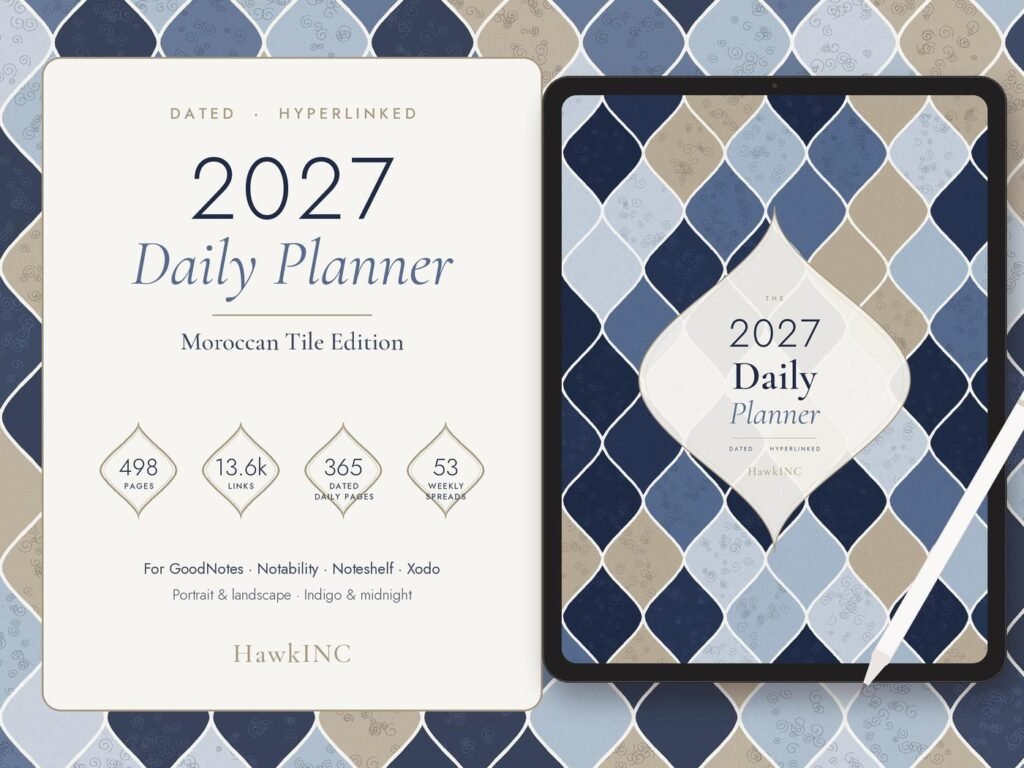
Quick answer: 2027 Digital Planner for GoodNotes is a hyperlinked digital planner made for tablet users who want a tidy planner in GoodNotes, Notability or another PDF note-taking app. 2027 digital planner for GoodNotes in a calm Moroccan tile design: a dated, fully hyperlinked daily planner, weekly planner and monthly planner with a habit tracker, mood tracker, budget planner, meal planner and reading log. Made for iPad and Android tablets, and a thoughtful New Year or Christmas gift for planner lovers.
Who it is for
This hyperlinked digital planner is for tablet users who want a tidy planner in GoodNotes, Notability or another PDF note-taking app.
At a glance
- Dated January to December 2027
- 498 hyperlinked pages with 13,600+ links
- 8 planner PDFs: Indigo (light) and Midnight (dark), Portrait and Landscape, Monday and Sunday start
- BONUS: 171 matching digital stickers (transparent PNGs + sticker book PDF)
- Works in GoodNotes, Notability, Noteshelf, Xodo and other PDF annotation apps
Files you’ll receive (5 zip files)
- Indigo (light) – Portrait (Monday and Sunday start)
- Indigo (light) – Landscape (Monday and Sunday start)
- Midnight (dark) – Portrait (Monday and Sunday start)
- Midnight (dark) – Landscape (Monday and Sunday start)
- Sticker Pack – 171 stickers: labels, banners, numbers, icons, notes and washi
Yearly pages
- 2027 at a Glance
- Yearly goals
- Important dates
- Year in Pixels mood tracker
Monthly pages (x12)
- Dated monthly calendar
- Monthly goals and review
- Monthly habit tracker
Weekly pages
- 53 dated weekly spreads with weekly focus and to-do list
Daily pages (365 dated)
- Hourly schedule
- Top 3 priorities
- To-do list
- Water tracker
- Mood check-in
- Gratitude
- Notes
Extra templates
- Monthly budget
- Meal plan
- Vision board
- Reading log
Easy navigation
- Tabs and links on every page to jump between days, weeks and months in one tap
How to use
This is an instant digital download. Nothing physical is shipped.
- Download: after purchase, get your files from your Etsy Purchases page (or the email Etsy sends you).
- Unzip: open the ZIP files on a computer or in your tablet’s Files app.
- Import: open the PDF you want in GoodNotes, Notability, Noteshelf, Xodo or another PDF annotation app as a new notebook.
- Plan: tap tabs and links in read-only or hand mode, and write with your stylus in pen mode.
Tip: if a ZIP won’t open on your phone, download it on a computer or tablet first.
Tablet, stylus and note-taking app are not included.
Perfect for
- Busy professionals and students who want a paperless 2027 daily planner
- Anyone building habits and tracking moods, budgets and reading goals
- iPad and Android tablet users who like a dark mode option
- A thoughtful New Year or Christmas gift for a planner lover (digital gift)
Please note
- Personal use only. Please don’t share, resell or redistribute the files.
- Colours may look slightly different depending on your screen.
- Questions or trouble with your files? Message me and I’ll help.
© HawkInc. Thank you for supporting a small shop!
How to use it, step by step
- Download the PDF from Etsy straight to your iPad or Android tablet (or download on a computer and send it over).
- Open GoodNotes, Notability, Noteshelf, Xodo or another PDF app and import the file.
- Switch to read-only or pointer mode when you tap tabs and links, then switch back to the pen to write.
- Duplicate any template page you need more of inside your app.
- Back up your planner in your app or cloud storage.
Tips for the best results
- Use the side tabs and calendar links to jump between months instead of scrolling.
- Keep a favorites bookmark on today’s page.
- Use stickers or highlighter colors consistently, for example one color per area of life.
Frequently asked questions
Is this a physical planner?
No. This is a digital download. Nothing will be shipped.
Do the links work in every app?
Links work in apps that support hyperlinked PDFs. Tap them in read-only or hand mode; in some apps they don’t respond while the pen tool is selected. They don’t work in basic image viewers or some phone file previewers.
Can I edit the text or layout?
The layout is a fixed PDF. You can write, type, highlight and add stickers on every page in your note app.
How do I use the stickers?
Unzip the sticker pack and add the PNG stickers to your app’s sticker or image library (or copy them from the sticker book PDF where included), then drag them onto any page.
Is it dated?
Yes, January to December 2027. No need to write dates; the calendar is already dated.
Which version should I use?
Pick Indigo (light) or Midnight (dark), portrait or landscape, and Monday or Sunday start. You get all 8, so you can switch anytime.
Can I print it?
It’s designed for tablets. You can print pages for personal use, but the links only work digitally.
Get it
2027 Digital Planner for GoodNotes is an instant digital download, priced at about $11.99 on Etsy. Nothing is shipped; you download the files right after checkout.