
By Dr. Mueed Akhtar, founder of HawkInc
Quick answer: 2027 Digital Planner is a hyperlinked digital planner made for tablet users who want a tidy planner in GoodNotes, Notability or another PDF note-taking app. Plan your whole year in 30-minute blocks with this 2027 digital planner built for time blocking: every date already filled in, every page one tap away.
Who it is for
This hyperlinked digital planner is for tablet users who want a tidy planner in GoodNotes, Notability or another PDF note-taking app.
What’s included
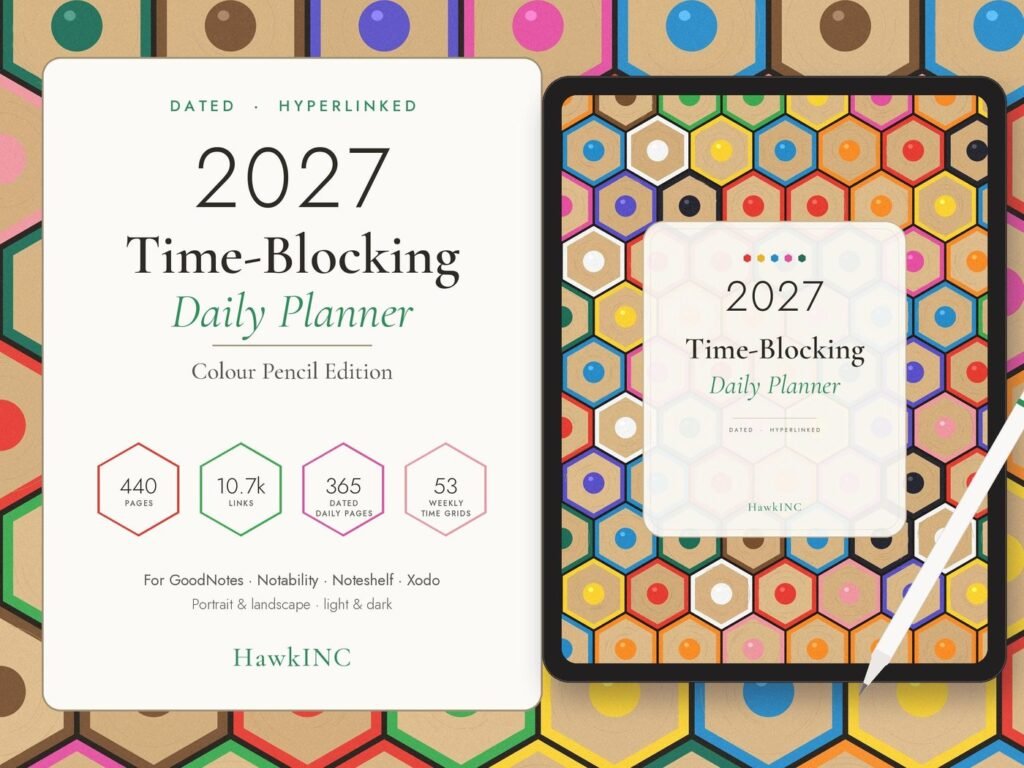
- 440 hyperlinked pages, about 10,700 links. You can reach any page from any page.
- 8 PDF planners in 4 ZIP files: Light and Dark, Portrait and Landscape, each with a Monday-start and a Sunday-start version
- 365 dated daily pages with 30-minute time blocks from 5am to 11pm, Top 3 priorities, a to-do list and a time audit (deep work vs meetings)
- 53 dated weekly time-block grids (6am–10pm, all seven days side by side, with a weekly priorities column)
- 12 monthly calendars, a 2027 at a Glance page, Yearly Priorities, My Routines, a How to Use guide and Notes pages
- A home dashboard with section buttons, month tabs on every page, a top menu and back/forward arrows
- BONUS: 146 matching digital stickers as transparent PNGs plus a sticker book PDF (time-block labels, months, numbers, notes, washi and trackers)
How it works
This is an instant digital download. Nothing physical is shipped.
- Download: after purchase, get your ZIP files from your Etsy Purchases page (Profile > Purchases and reviews). On a phone, download in a web browser rather than the Etsy app.
- Import: unzip and open the PDF you like in GoodNotes, Notability, Noteshelf, Xodo or any PDF annotation app that supports hyperlinks.
- Tap and plan: use the tabs and links to move around, and write with your stylus.
Works best on a tablet with a stylus (iPad, Android tablet or similar). The tablet, stylus and note-taking app are not included.
Perfect for
- Busy professionals and managers who need to protect focus time
- Remote workers fighting distractions
- Students with packed timetables
- Deep-work fans who plan every hour on purpose
- Anyone with ADHD or time blindness who finds visual time blocking helpful
- A practical New Year gift for a coworker, friend or student
Please note
- Colours may look slightly different on different screens.
- Large PDFs can load more slowly on older devices or in free app versions.
- This planner is a productivity tool, not a medical or therapeutic product.
How to use it, step by step
- Download the PDF from Etsy straight to your iPad or Android tablet (or download on a computer and send it over).
- Open GoodNotes, Notability, Noteshelf, Xodo or another PDF app and import the file.
- Switch to read-only or pointer mode when you tap tabs and links, then switch back to the pen to write.
- Duplicate any template page you need more of inside your app.
- Back up your planner in your app or cloud storage.
Tips for the best results
- Use the side tabs and calendar links to jump between months instead of scrolling.
- Keep a favorites bookmark on today’s page.
- Use stickers or highlighter colors consistently, for example one color per area of life.
Frequently asked questions
Which apps does it work with?
Any PDF annotation app that supports hyperlinks, such as GoodNotes, Notability, Noteshelf and Xodo. It won’t link properly in basic PDF viewers, e-readers or OneNote.
Can I use it on Android or a Windows tablet?
Yes. Use a hyperlink-friendly PDF app such as Xodo or Noteshelf.
Is it dated?
Yes, it’s fully dated for January to December 2027. You get both Monday-start and Sunday-start versions.
Which version should I choose?
Use Portrait if you hold your tablet upright and Landscape if you use it sideways or with a keyboard case. Dark is easier on the eyes at night. You get all 8, so you can switch any time.
Can I print it?
It’s designed for digital use, but you can print any page using your printer’s “fit to page” setting. The links won’t work on paper.
Can I edit the text or layout?
The layout isn’t editable, but you can write, type, highlight and add stickers anywhere in your app.
How do I use the stickers?
Open the sticker book PDF in your app and copy/paste the stickers, or import the PNGs into your app’s sticker or image library.
Can I use it on more than one device?
Yes, for your own personal use on all your devices.
Is there a subscription?
No. You buy it once and keep it, and it works offline.
Get it
2027 Digital Planner is an instant digital download, priced at about $14.98 on Etsy. Nothing is shipped; you download the files right after checkout.