
By Dr. Mueed Akhtar, founder of HawkInc
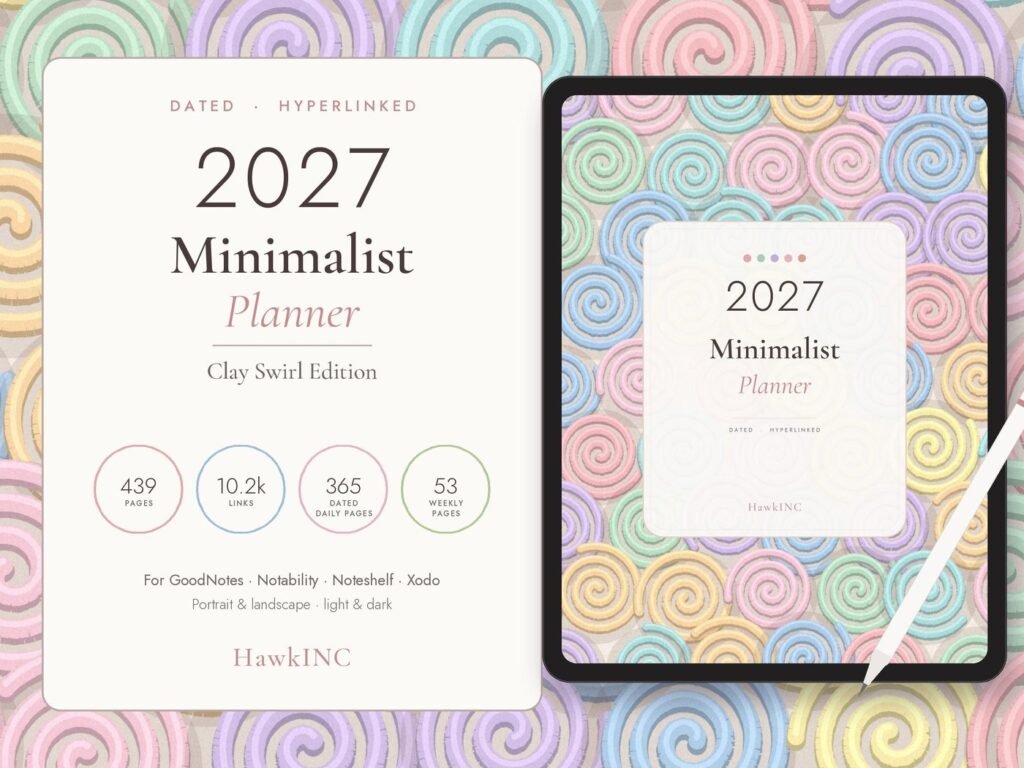
Quick answer: 2027 Minimalist Planner is a hyperlinked digital planner made for tablet users who want a tidy planner in GoodNotes, Notability or another PDF note-taking app. Month, week and day. Nothing more. This 2027 Minimalist Planner is a calm, dated, hyperlinked digital planner for GoodNotes, Notability and other PDF apps, in a soft clay swirl design.
Who it is for
This hyperlinked digital planner is for tablet users who want a tidy planner in GoodNotes, Notability or another PDF note-taking app.
What’s included (439 pages, 10,156 links)
- Intentions for the year
- 12 dated monthly 2027 calendars: tap any date to open its day
- 53 dated weekly pages with a box for each day
- 365 daily pages: hourly time blocking schedule, top priorities, to do list and dot-grid notes
You get
- 8 PDF planners: light & dark, portrait & landscape, Monday & Sunday start
- Illustrated How to Use guide (PDF)
- 146 matching digital stickers (PNG + sticker book PDF)
How it works
- Purchase and download the ZIP files from Etsy (Purchases & Reviews) or your email.
- Unzip and import the PDF into GoodNotes, Notability, Noteshelf, Xodo or any PDF annotation app.
- Tap the tabs, calendar dates and buttons to move between months, weeks and days.
This is an instant digital download. Nothing will be shipped.
Perfect for
- Anyone who wants a clean, simple life planner without clutter
- Busy professionals planning work and personal life in one place
- Time blocking your day hour by hour
- Students, creatives and small business owners
- A thoughtful New Year gift for someone with an iPad or tablet
How to use it, step by step
- Download the PDF from Etsy straight to your iPad or Android tablet (or download on a computer and send it over).
- Open GoodNotes, Notability, Noteshelf, Xodo or another PDF app and import the file.
- Switch to read-only or pointer mode when you tap tabs and links, then switch back to the pen to write.
- Duplicate any template page you need more of inside your app.
- Back up your planner in your app or cloud storage.
Tips for the best results
- Use the side tabs and calendar links to jump between months instead of scrolling.
- Keep a favorites bookmark on today’s page.
- Use stickers or highlighter colors consistently, for example one color per area of life.
Frequently asked questions
Which apps does it work with?
GoodNotes, Notability, Noteshelf, Xodo, Samsung Notes and most PDF apps that support hyperlinks.
Does it work on Android or Windows tablets?
Yes, in any PDF annotation app that supports hyperlinks (e.g. Xodo, Noteshelf, Penly).
Is it dated?
Yes, it is dated January to December 2027, with Monday and Sunday start versions.
Can I print it?
It is designed for tablets, but you can print any page at home for personal use.
Can I edit the text?
You can write and type on every page in your note app. The template layout itself is not editable.
How do I use the stickers?
Import the PNG stickers or the sticker book PDF into your app’s sticker or elements library and drag them onto your pages.
Will I receive a physical planner?
No, this is a digital download only.
Get it
2027 Minimalist Planner is an instant digital download, priced at about $7.99 on Etsy. Nothing is shipped; you download the files right after checkout.