
By Dr. Mueed Akhtar, founder of HawkInc
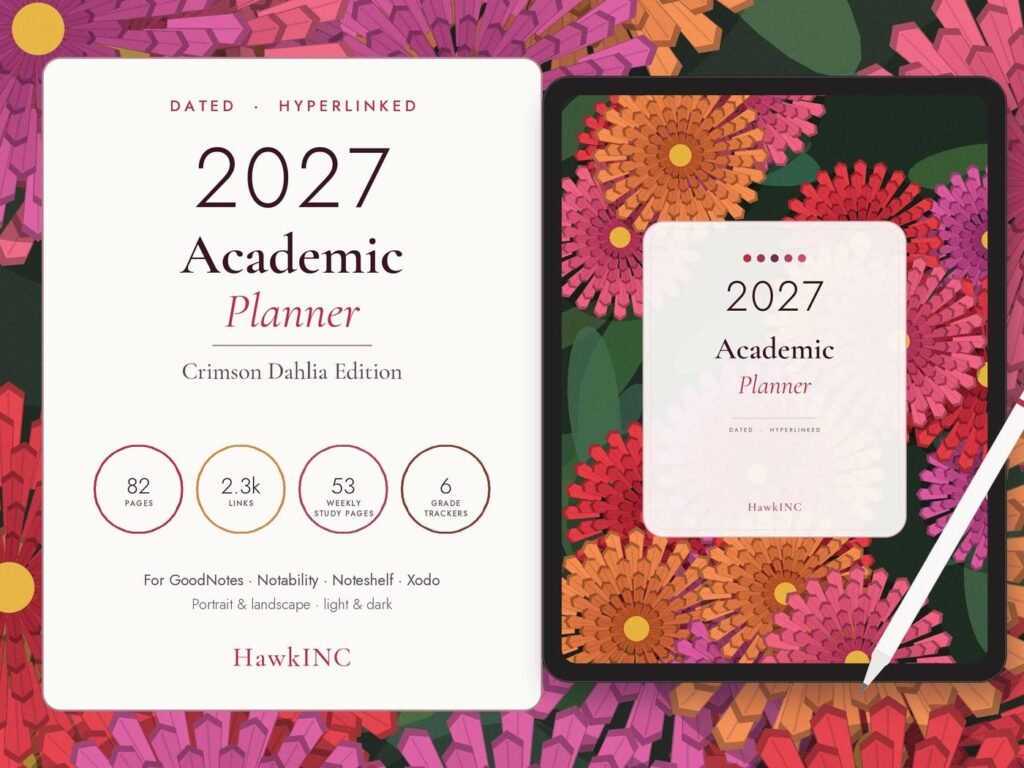
Quick answer: Academic Planner 2027 is a hyperlinked digital planner made for tablet users who want a tidy planner in GoodNotes, Notability or another PDF note-taking app. Study smarter in 2027 with this dated, hyperlinked academic planner: a digital student planner with an assignment tracker, class schedule, exam tracker and grade tracker in one PDF. It is designed for high school, college and university students who plan on an iPad or Android tablet.
Who it is for
This hyperlinked digital planner is for tablet users who want a tidy planner in GoodNotes, Notability or another PDF note-taking app.
What is the hawkinc 2027 academic planner
It is an 82-page, fully hyperlinked 2027 digital planner for students, with 2,299 tap-to-jump links. You can use it in GoodNotes, Notability, Noteshelf, Xodo and any PDF annotation app. Every date is already filled in for 2027. The design is an original crimson dahlia artwork in light and dark modes.
What’s inside
- Semester overview with key dates and goals for two semesters
- Weekly class schedule (6 days × 10 periods) and course list
- Assignment tracker (2 pages) for every due date
- Exam tracker with planned study sessions
- Grade tracker for 6 courses
- Reading list and notes pages
- Dated monthly calendars for deadlines and exams
- 53 dated weekly planner pages with classes, study notes and a due-date checklist
- Year-in-review pages
You receive (instant download)
- 8 PDF planners: light and dark, portrait and landscape, Monday and Sunday start
- Illustrated How to Use guide (PDF)
- 146 matching digital stickers (PNG + sticker book PDF)
How it works
- Buy, then download the files from Purchases (or from the email link if you checked out as a guest).
- Open the PDF in GoodNotes, Notability, Noteshelf, Xodo or another PDF app.
- Tap the tabs and links to jump to any month, week or tracker.
Nothing is shipped.
Perfect for
- High school, college and university students
- Grad students and nursing, law or med students juggling deadlines
- Homeschool teens tracking courses and grades
- A back-to-school or graduation gift for a student who uses a tablet
Please note
This is a digital download only, and no physical item is shipped. A tablet, stylus and note-taking app are not included. Colours may look slightly different on different screens.
© HawkInc. For personal use only. Please don’t share, resell or redistribute the files, in whole or in part.
How to use it, step by step
- Download the PDF from Etsy straight to your iPad or Android tablet (or download on a computer and send it over).
- Open GoodNotes, Notability, Noteshelf, Xodo or another PDF app and import the file.
- Switch to read-only or pointer mode when you tap tabs and links, then switch back to the pen to write.
- Duplicate any template page you need more of inside your app.
- Back up your planner in your app or cloud storage.
Tips for the best results
- Use the side tabs and calendar links to jump between months instead of scrolling.
- Keep a favorites bookmark on today’s page.
- Use stickers or highlighter colors consistently, for example one color per area of life.
Frequently asked questions
What dates does this academic planner cover?
The 2027 year. Every month and week is pre-dated, and both semesters are planned on the semester overview.
Which apps does it work with?
Any app that opens hyperlinked PDFs, including GoodNotes, Notability, Noteshelf, Xodo and Flexcil. It works on iPad, Android tablets and Windows tablets.
Do the hyperlinks work?
Yes. There are 2,299 links, and every tab, month, week and tracker is clickable. Use read-only mode in your app to tap the links.
Can I print it?
It’s designed for tablets, but you can print any page at home. The portrait version fits US Letter and A4 best.
Portrait or landscape? Monday or Sunday start?
You get all of them: 8 versions in light and dark mode.
How do I use the digital stickers?
Import the PNGs or the sticker book PDF into your app’s sticker or elements library, then drag them onto any page.
Can I use it on my phone?
Phones are too small for comfortable writing. Download on a phone or computer, then open the planner on a tablet.
Is it editable?
The text and dates are fixed. You can write, type, highlight and add stickers on every page.
Get it
Academic Planner 2027 is an instant digital download, priced at about $7.99 on Etsy. Nothing is shipped; you download the files right after checkout.