
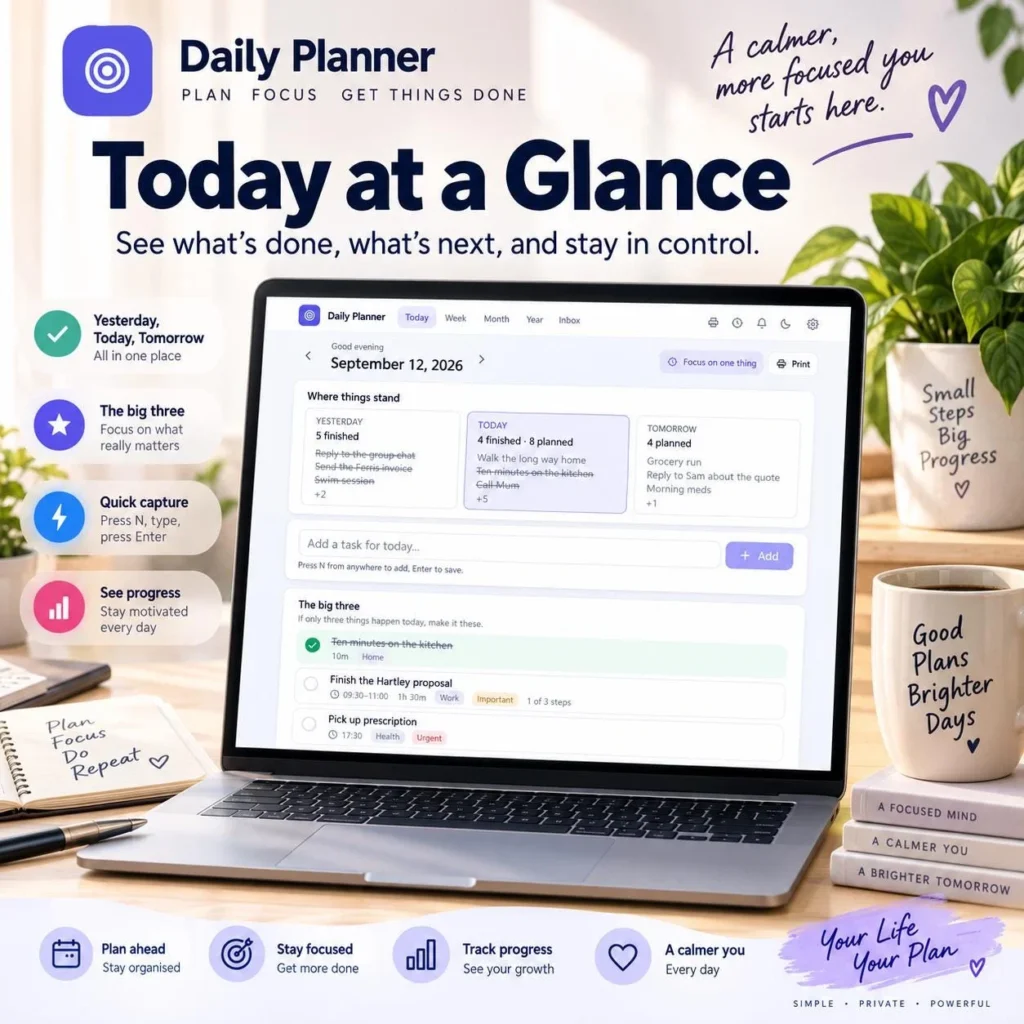
If you love the clean look of a Notion style daily planner but don’t want to spend a weekend building databases, syncing an account or paying another monthly subscription, this guide is for you. Below is a simple daily planning system you can copy, plus a ready-made daily planner dashboard with a habit tracker and goal tracker that runs offline in your browser.
On This Page
- Quick answer
- Why Notion planners often stall
- A simple 5-part daily planning system
- Set up a habit tracker that sticks
- Turn goals into weekly tasks
- The offline Notion style planner dashboard
- Digital vs printable planner
- Frequently asked questions
Quick answer
A good daily planner dashboard shows today, this week and your habits on one screen. Keep it to a top-three task list, a quick capture box, a weekly plan, 3–5 daily habits and 1–3 goals. If you want that setup without building it in Notion, use a ready-made offline planner like the HawkInc Notion style daily planner dashboard, which works with no account and includes a printable PDF.
By Dr. Mueed Akhtar, PhD (Chemical Engineering), founder of HawkInc · Last updated 13 October 2026
Key takeaways
- You can get the clean Notion look without Notion: the HawkInc planner runs as an offline web app in your browser, with a printable PDF included.
- A useful daily dashboard has a today view with your top three tasks, a quick capture box, a weekly plan, a habit tracker and a goal tracker.
- Track only three to five habits, check them off at the same time each day and review streaks weekly.
- Use digital for daily tasks and habit streaks, and printable pages for weekly reviews away from the screen.
Why Notion planners often stall
Notion is powerful, but most people spend more time building their productivity dashboard than using it. Common problems:
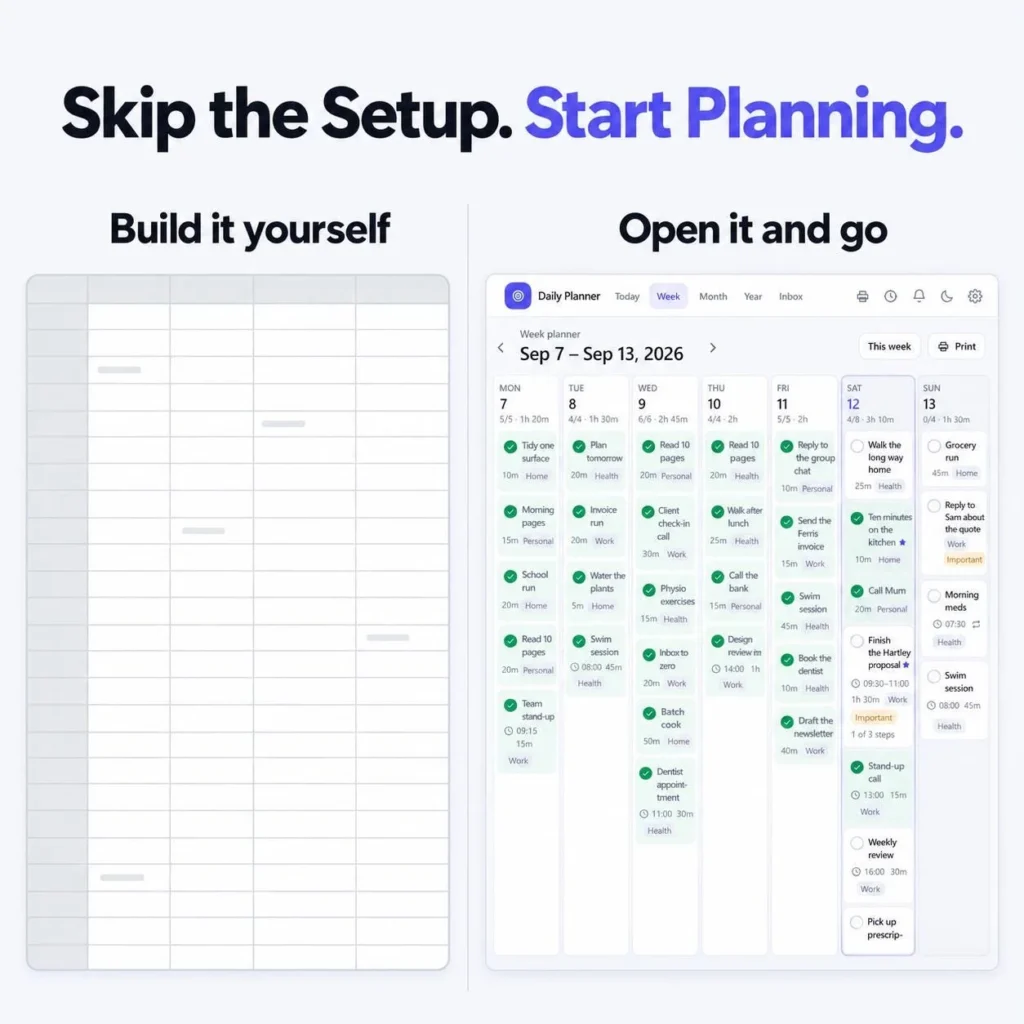
- Setup fatigue: databases, relations, rollups and formulas before you plan a single day.
- Broken formulas and messy views after a small change.
- Dates you retype every week because the template doesn’t roll forward.
- Account and internet dependence: no login, no planner.
- Subscription creep from add-on apps and templates.
A planner only works if opening it takes less effort than ignoring it. That’s the whole idea behind a pre-built dashboard.
A simple 5-part daily planning system
Whatever tool you use, this daily routine takes about ten minutes a day:
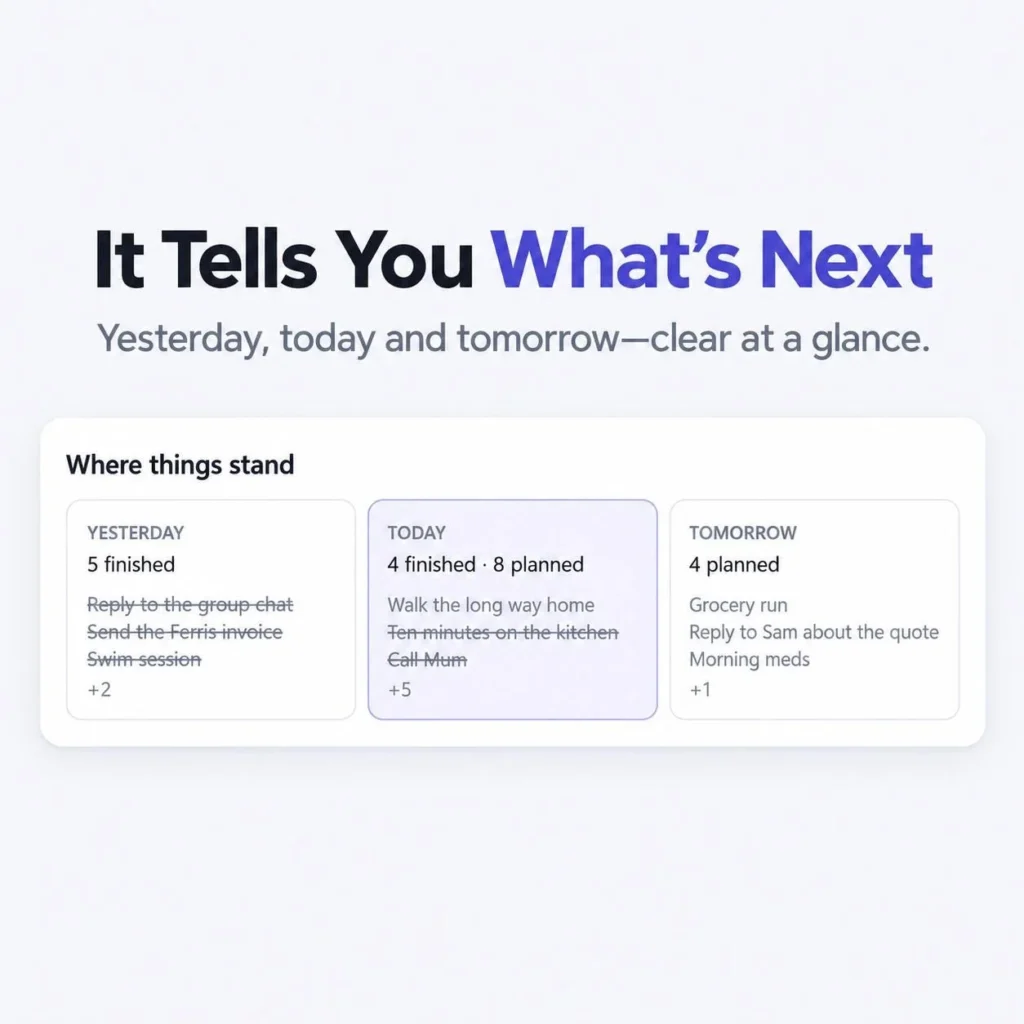
- Look back (1 minute). Check what you finished yesterday and move anything unfinished to today or tomorrow.
- Pick your big three (2 minutes). Choose the three tasks that would make today a good day. Everything else is a bonus.
- Capture everything else (as it comes). Dump new tasks into one quick capture box so they stop living in your head.
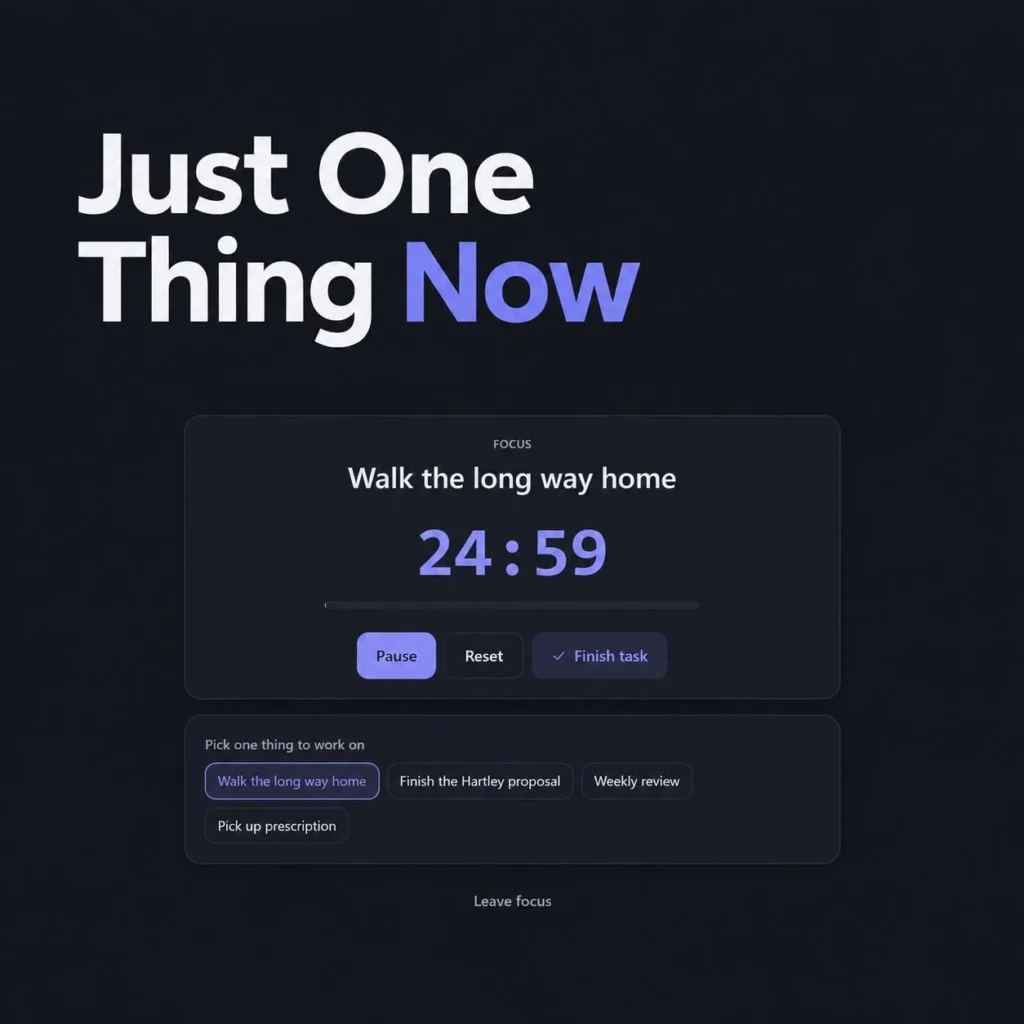
- Focus on one thing at a time. Run a 25-minute focus block on a single task, then take a short break.
- Check off habits (evening). Tick your daily habits and glance at tomorrow before you close the day.
Set up a habit tracker that sticks
A daily habit tracker works best when it is small and visual. Try this:
- Track 3–5 habits only, for example water, a 20-minute walk, reading and an early night.
- Make each habit a simple yes/no checkbox, not a number to log.
- Check habits at the same time every day so it becomes part of your daily routine.
- Review your streaks weekly and adjust your monthly habit list at the start of each month.
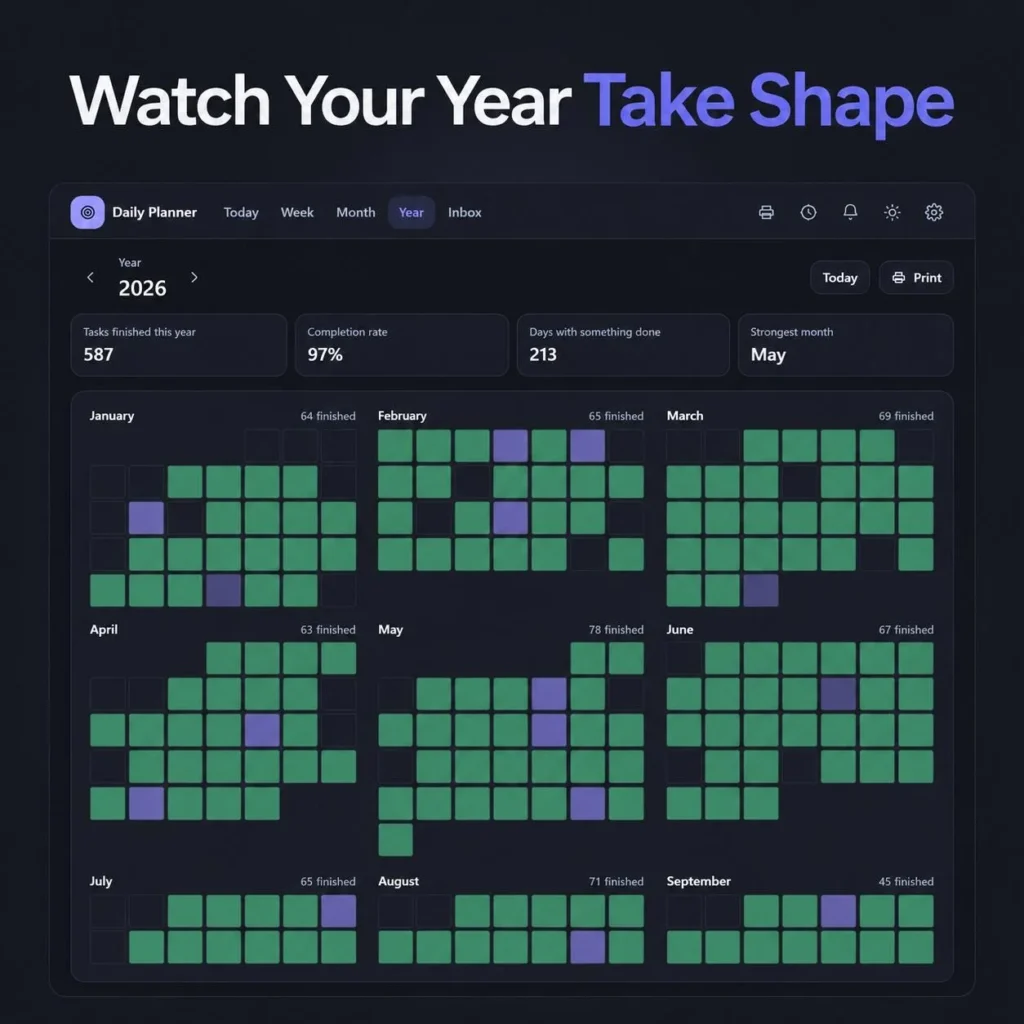
- Use a year view so one missed day looks like a small gap, not a failure.
Turn goals into weekly tasks
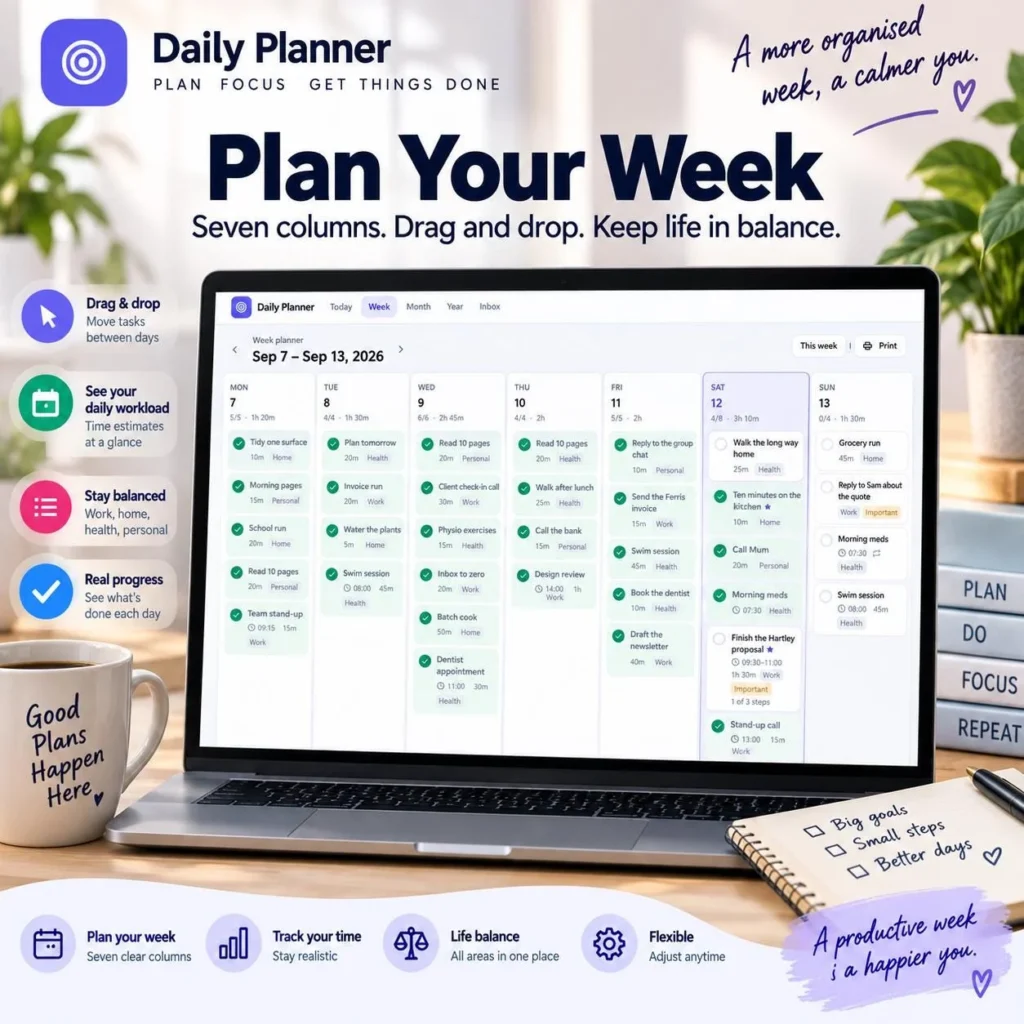
A goal tracker only helps when goals turn into tasks on real days. Each Sunday, pick one to three goals, break each into two or three small tasks, and drag them into specific days of your week. Your task tracker then shows progress automatically as you check them off.
The offline Notion style planner dashboard
If you’d rather skip the setup, the HawkInc Notion style daily planner dashboard gives you this whole system ready to use. It is a downloadable offline web app plus a printable PDF, designed in a Notion-inspired style. It is not a Notion template file, so you don’t need a Notion account at all.
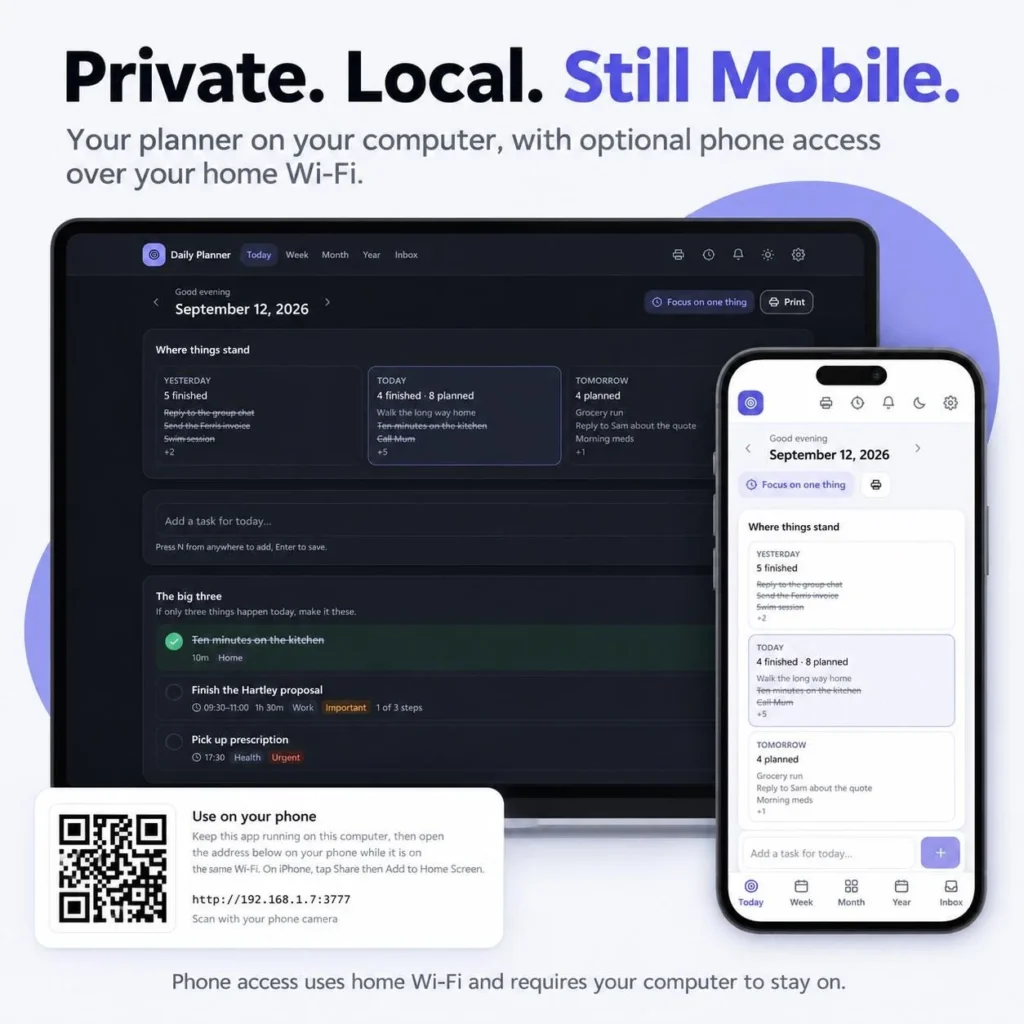
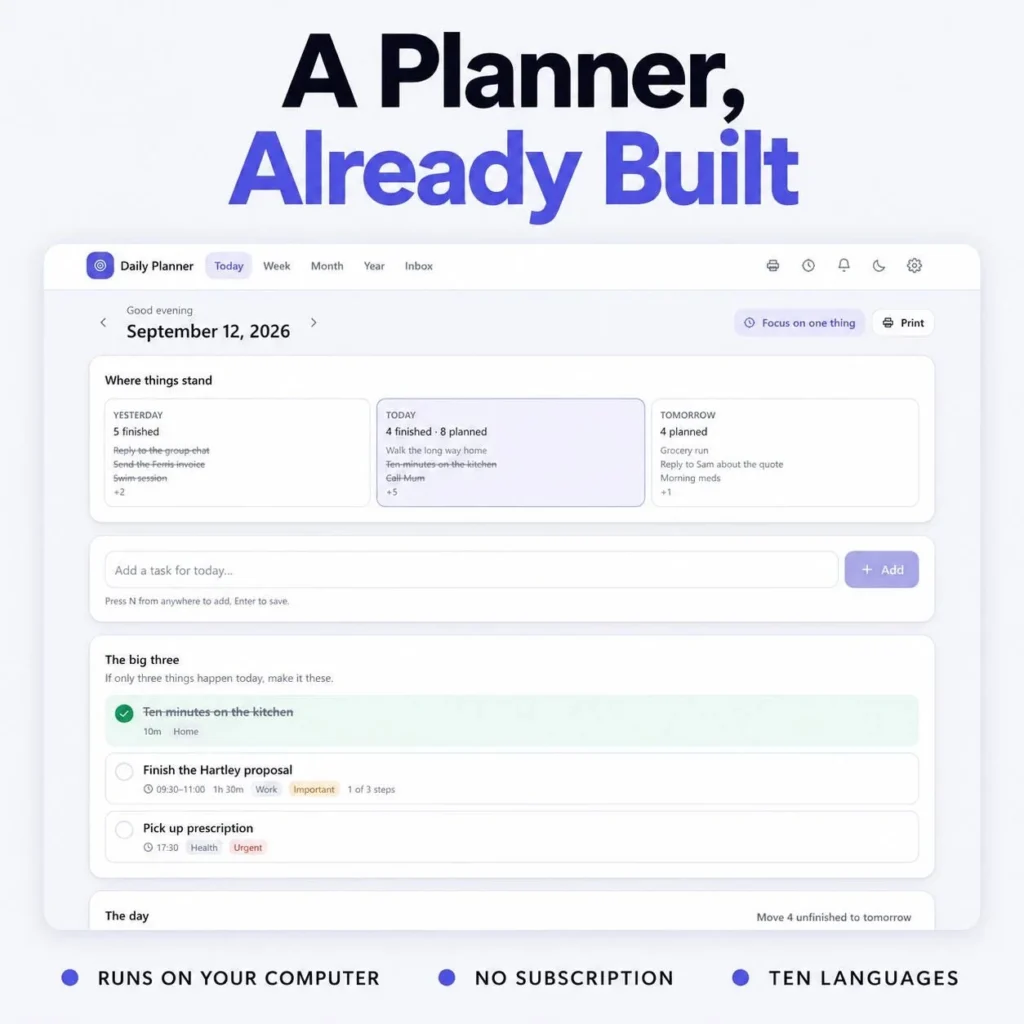
| Today view | Yesterday, today and tomorrow, your big three and quick capture |
| Weekly planner | Seven drag-and-drop day columns |
| Habit and goal tracker | Live dashboard with streaks and progress that update automatically |
| Year view | Habit heatmap for the whole year |
| Focus mode | Countdown timer for one task at a time |
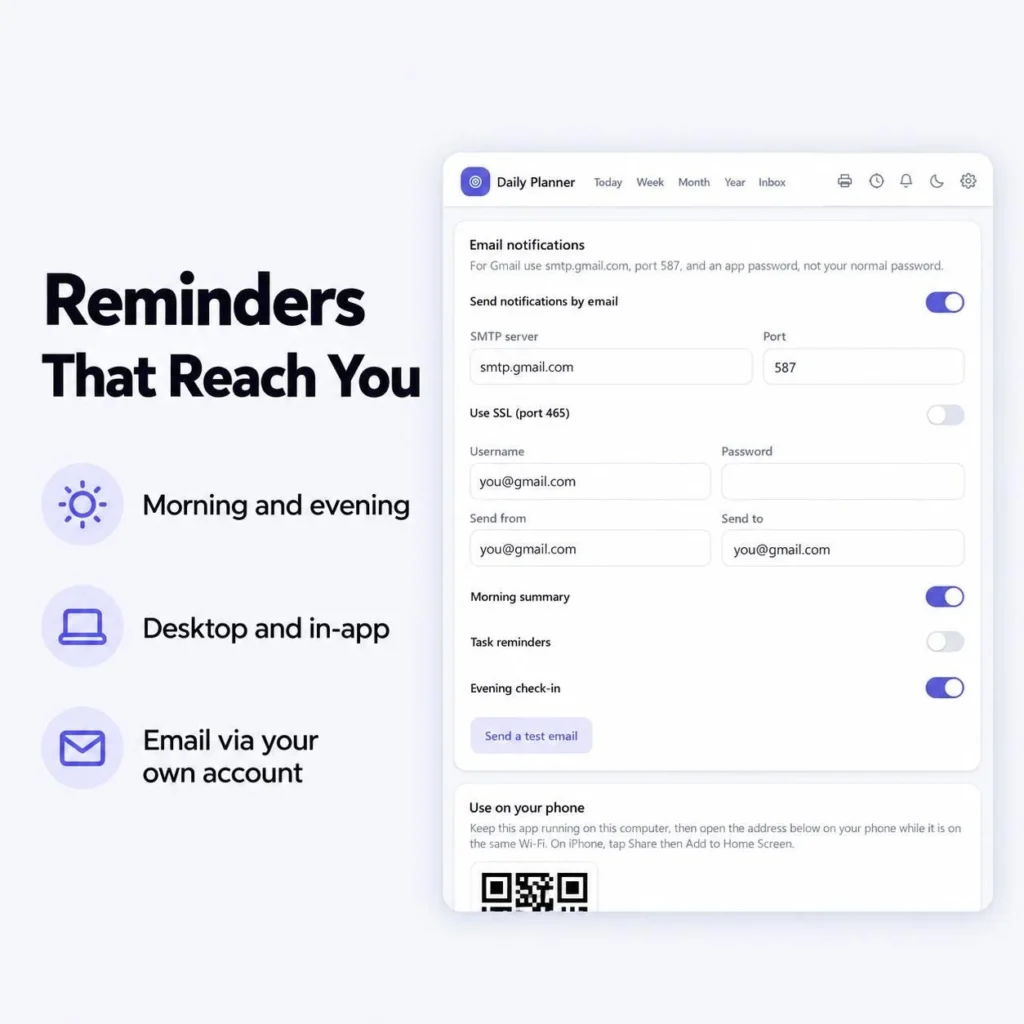
| Reminders | Morning and evening, on desktop or by email through your own account |
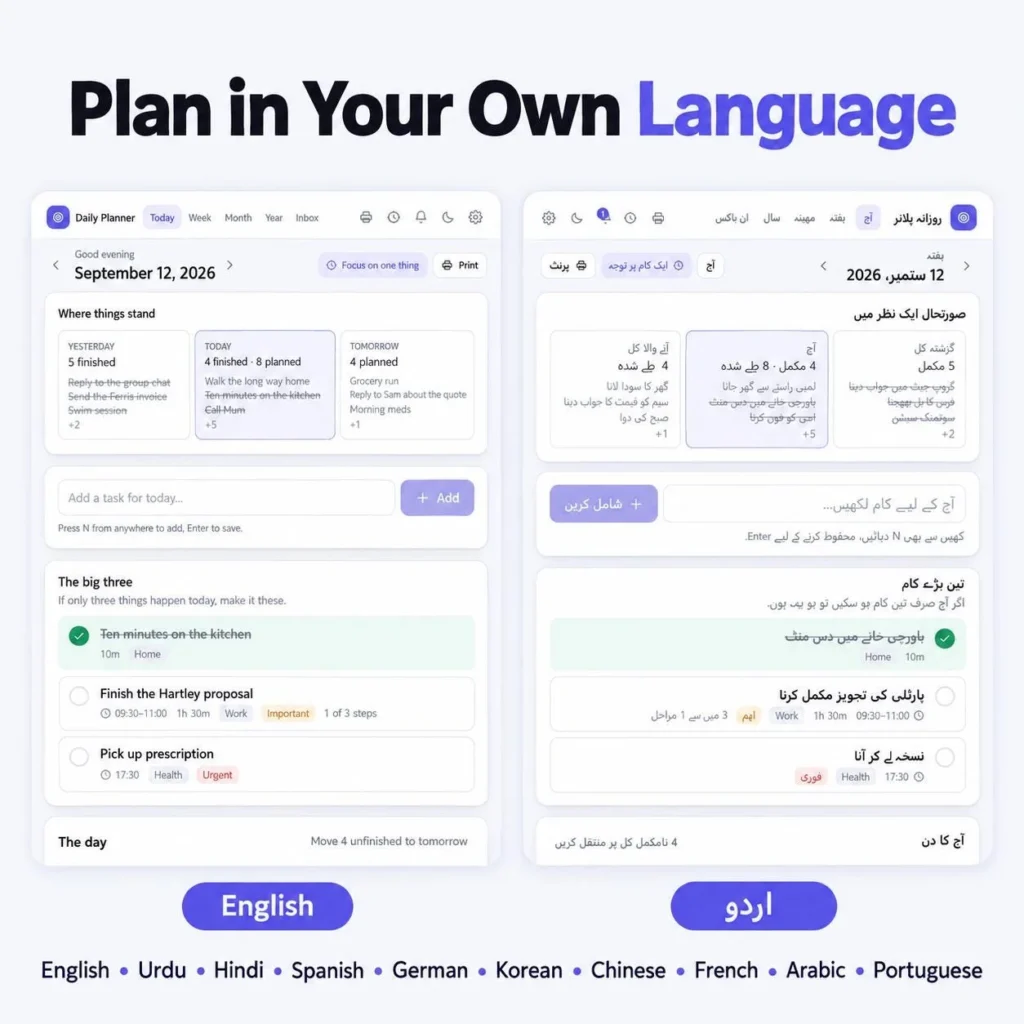
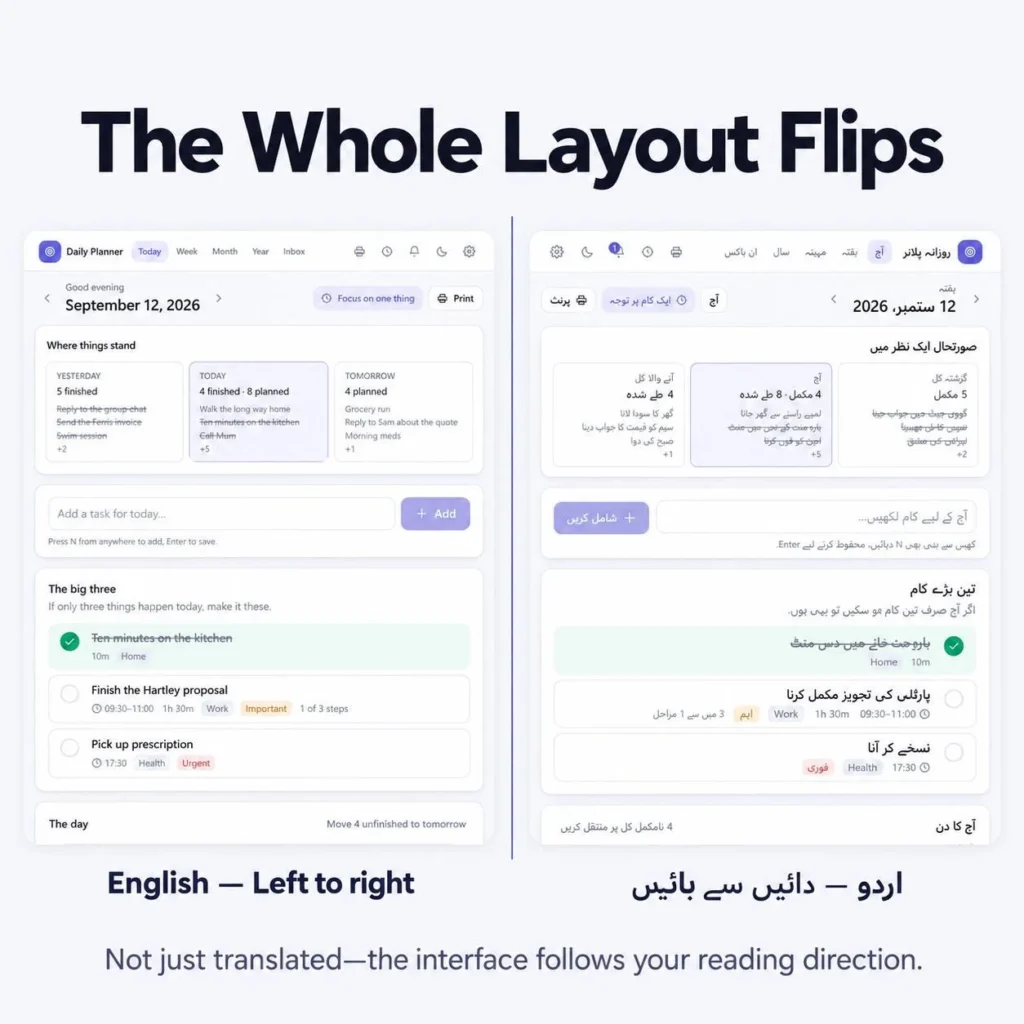
| Languages | 10 languages, including right-to-left Urdu and Arabic |
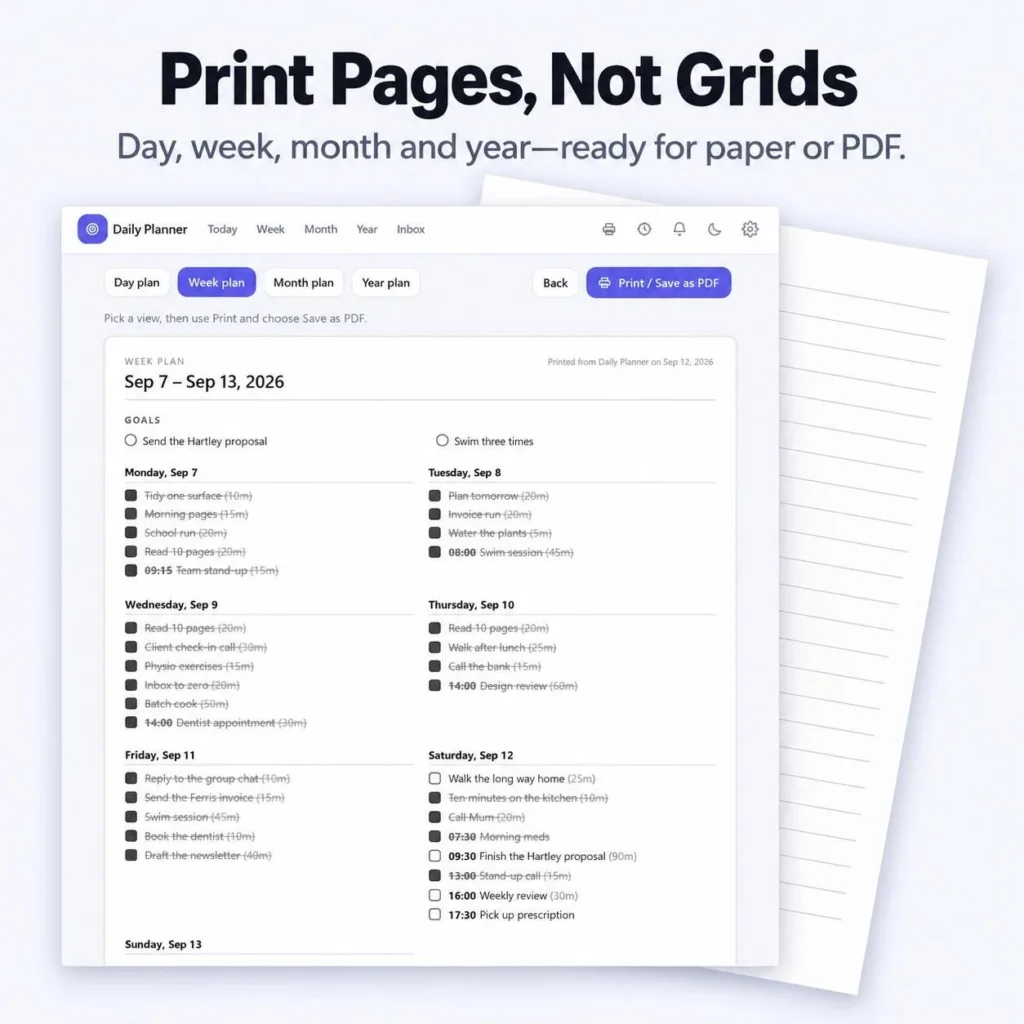
| Printable | PDF pages for day, week, month and year |
| Price | $4.80 on sale (regular $8.00), one-time, no subscription |
What’s included
- Offline interactive planner web app (.zip)
- Printable PDF planner
- Quick-start README with simple setup steps
How to start in 3 steps
- Buy and download the files from Etsy.
- Unzip and open the app in Chrome, Safari, Edge or Firefox. Nothing to install.
- Add your big three for today, pick your habits and start planning.
It works best on a desktop or laptop and your data stays on your device.
Digital vs printable planner: use both
A digital planner wins for daily use: dates roll forward, habits tally themselves and nothing gets lost. A printable planner page is better for a weekly review with a coffee, or for planning away from screens. This planner template includes both, so you can print your week and still keep your streaks in the app.
Who this productivity planner is for
- Notion fans who want the look without the setup
- Anyone tired of planner app subscriptions
- Students, freelancers and busy parents who need one place for tasks, habits and goals
- Privacy-minded people who want planner data to stay on their own device
Frequently asked questions
Is there a Notion style daily planner that works without Notion?
Yes. The HawkInc Notion style daily planner dashboard has the clean Notion look but runs as an offline web app in your browser, with a printable PDF included. No Notion account, login or subscription is needed.
What should a daily planner dashboard include?
At minimum: a today view with your top three tasks, a quick capture box, a weekly plan, a habit tracker and a goal tracker that shows progress automatically. A year view and focus timer make it easier to stay consistent.
How do I track daily habits without losing motivation?
Track only three to five habits, check them off at the same time each day and look at your streaks weekly. A visual year heatmap helps because you can see consistency build instead of judging single missed days.
Is a digital planner or a printable planner better?
Use both. A digital planner is faster for daily tasks, rolling dates and habit streaks, while a printable planner page is great for weekly reviews and planning away from screens.
Is my planner data private?
In the offline web app your planner data stays on your own device. There is no account and nothing is synced to a server.
How much does the planner cost?
It is a one-time purchase on Etsy, currently $4.80 on sale (regular $8.00), with an instant digital download.
Ready to plan your day? See all the details on the product page or grab it on Etsy.