
Real estate marketing templates are the fastest way for agents to post consistently, look like an established brand and announce every listing without designing from scratch. This guide covers exactly what to post, which sizes to use for every platform, what belongs on an open house flyer, a simple weekly posting plan, and how to edit a template in Canva in about ten minutes.
On This Page
Quick answer
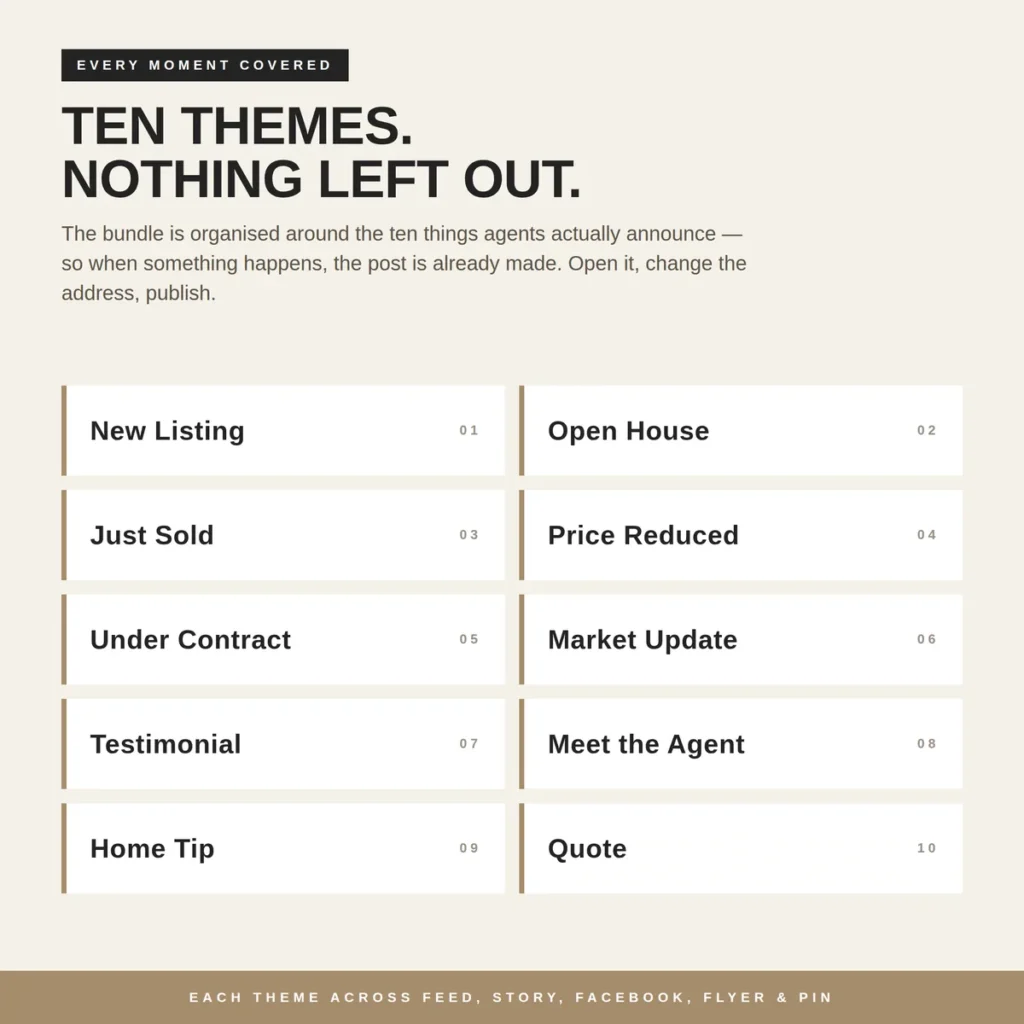
The best real estate marketing templates cover ten listing moments (New Listing, Open House, Just Sold, Price Reduced, Under Contract, Market Update, Testimonial, Meet the Agent, Home Tip and Quote) across Instagram, Facebook, Stories, Pinterest and print, all in one consistent brand palette. Edit them in Canva, swap the address, price and photos, and export as PNG for social or PDF for print.
By Dr. Mueed Akhtar, PhD (Chemical Engineering), founder of HawkInc · Last updated 13 October 2026
Key takeaways
- Real estate marketing templates are editable layouts for the posts, flyers and print pieces agents use to promote listings and their brand.
- Rotate ten post types, from New Listing and Open House to Market Update, Testimonial and Home Tip.
- Post 3 to 5 times a week plus daily Stories, and add a post whenever a listing changes status.
- Use 1080 x 1350 px (4:5) for Instagram feed posts because it takes up more screen space.
- Canva is free, works on desktop and mobile, and lets agents edit a template in minutes.
Why real estate marketing templates matter in 2026
Social media is now standard practice for agents. The National Association of REALTORS® 2025 Technology Survey found that 75% of agents use social media, making it the second most widely used technology after eSignature (79%), and 46% already use AI-generated content such as listing descriptions (NAR, 2025).
At the same time, agents still win most transactions: NAR’s 2025 Profile of Home Buyers and Sellers reports that 88% of buyers and 91% of sellers used an agent or broker (NAR, 2025). With almost every agent posting, the difference is consistency and brand polish. Templates solve both: the design decisions are already made, so you only change the details.
- Speed: a finished post in minutes instead of an hour in a blank canvas.
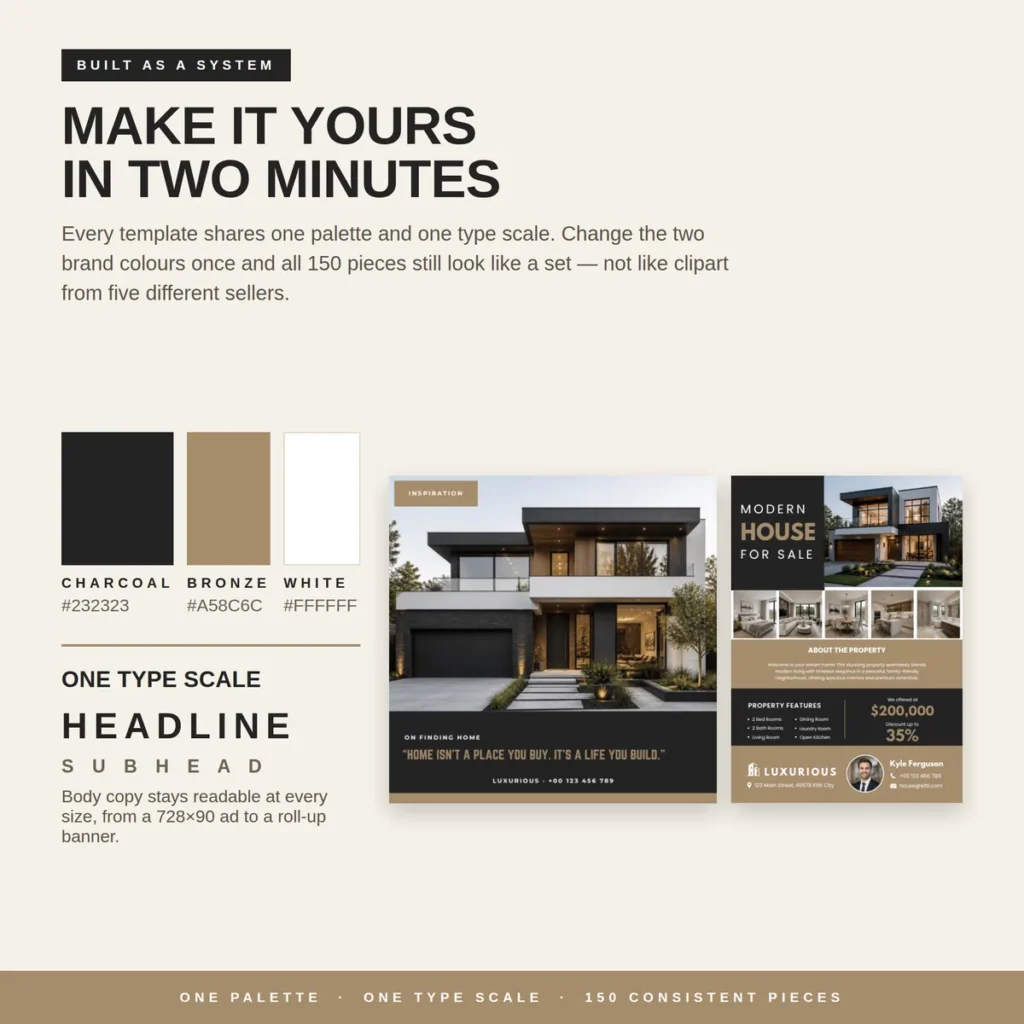
- Consistency: one palette and type scale across feed, flyers and website so you look like a brand, not a collection of random designs.
- Cost: a reusable template costs cents; a one-off designer flyer typically costs $40 to $90.
- Readiness: when a listing goes under contract on a Friday night, the post is already built.
The 10 real estate posts every agent needs
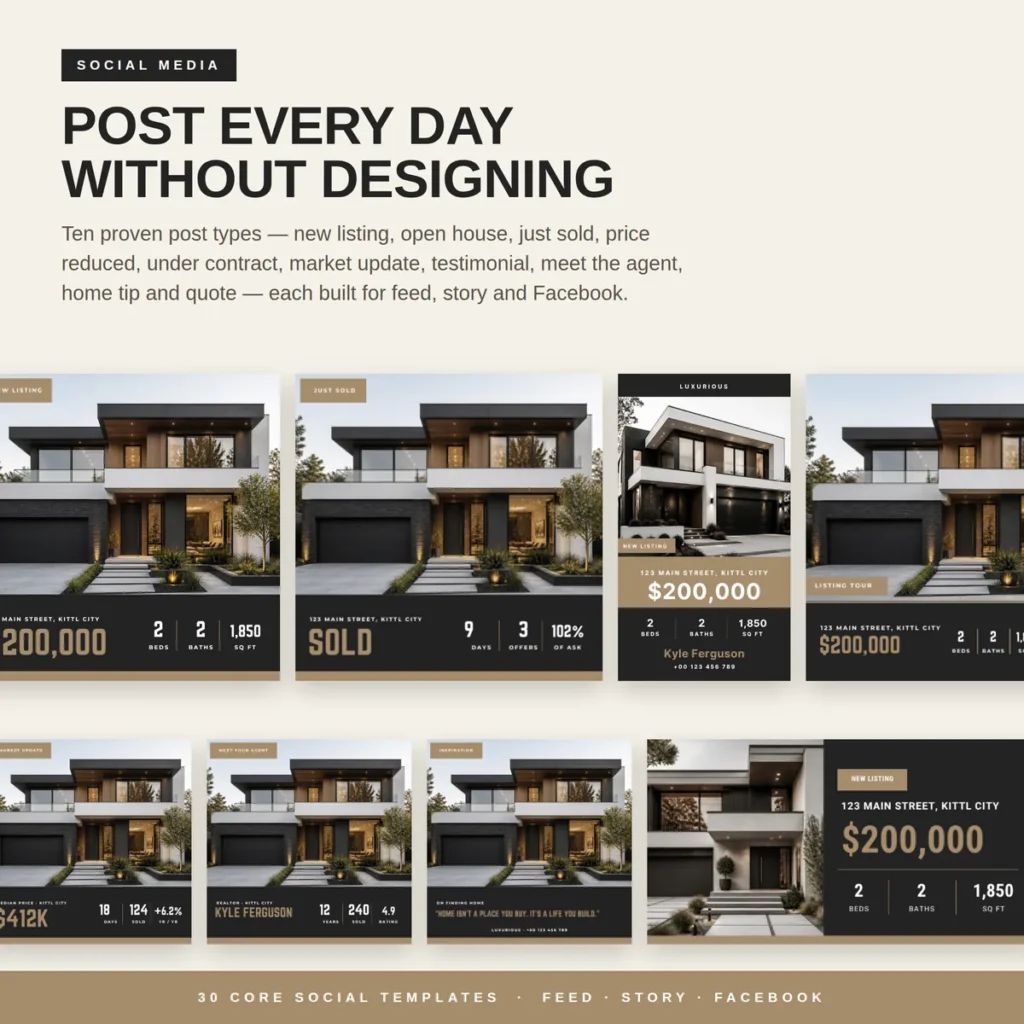
Most agent content fits into ten repeatable themes. Build (or buy) real estate marketing templates for each and you will never stare at an empty feed again.
| # | Post type | Goal | Key details to include |
|---|---|---|---|
| 1 | New Listing / Just Listed | Show inventory, attract buyers | Hero photo, address, price, beds, baths, sq ft |
| 2 | Open House | Drive foot traffic | Date, hours, address, what to expect |
| 3 | Just Sold | Prove results to sellers | Days on market, offers, % of asking |
| 4 | Price Reduced | Re-engage buyers | Old vs new price, key features |
| 5 | Under Contract | Create urgency, show momentum | Address, “Under Contract” badge |
| 6 | Market Update | Position yourself as the local expert | Median price, days on market, year-on-year change |
| 7 | Testimonial | Social proof | Client quote, star rating, first name |
| 8 | Meet the Agent | Build personal trust | Headshot, years, homes sold, rating |
| 9 | Home Tip | Helpful, shareable value | One tip, numbered steps or checklist |
| 10 | Quote | Engagement between listings | Short quote, brand colours, contact line |
Real estate social media sizes cheat sheet
Using the right size for your real estate marketing templates keeps text readable and stops platforms from cropping your listing photos.
| Platform / format | Size (px) | Ratio | Best for |
|---|---|---|---|
| Instagram feed (portrait) | 1080 × 1350 | 4:5 | New listing, just sold, market update |
| Instagram / Facebook square | 1080 × 1080 | 1:1 | Quotes, tips, testimonials |
| Instagram & Facebook Stories | 1080 × 1920 | 9:16 | Open house countdowns, listing tours |
| Reels / TikTok cover | 1080 × 1920 | 9:16 | Video tour covers |
| Facebook post (landscape) | 1200 × 630 | 1.91:1 | Link posts, listing shares |
| Pinterest standard pin | 1000 × 1500 | 2:3 | Home tips, buying guides |
| YouTube thumbnail | 1280 × 720 | 16:9 | Listing tours, market videos |
| LinkedIn post | 1200 × 1200 or 1200 × 627 | 1:1 / 1.91:1 | Market updates, milestones |
Print marketing: open house flyers, postcards and signs
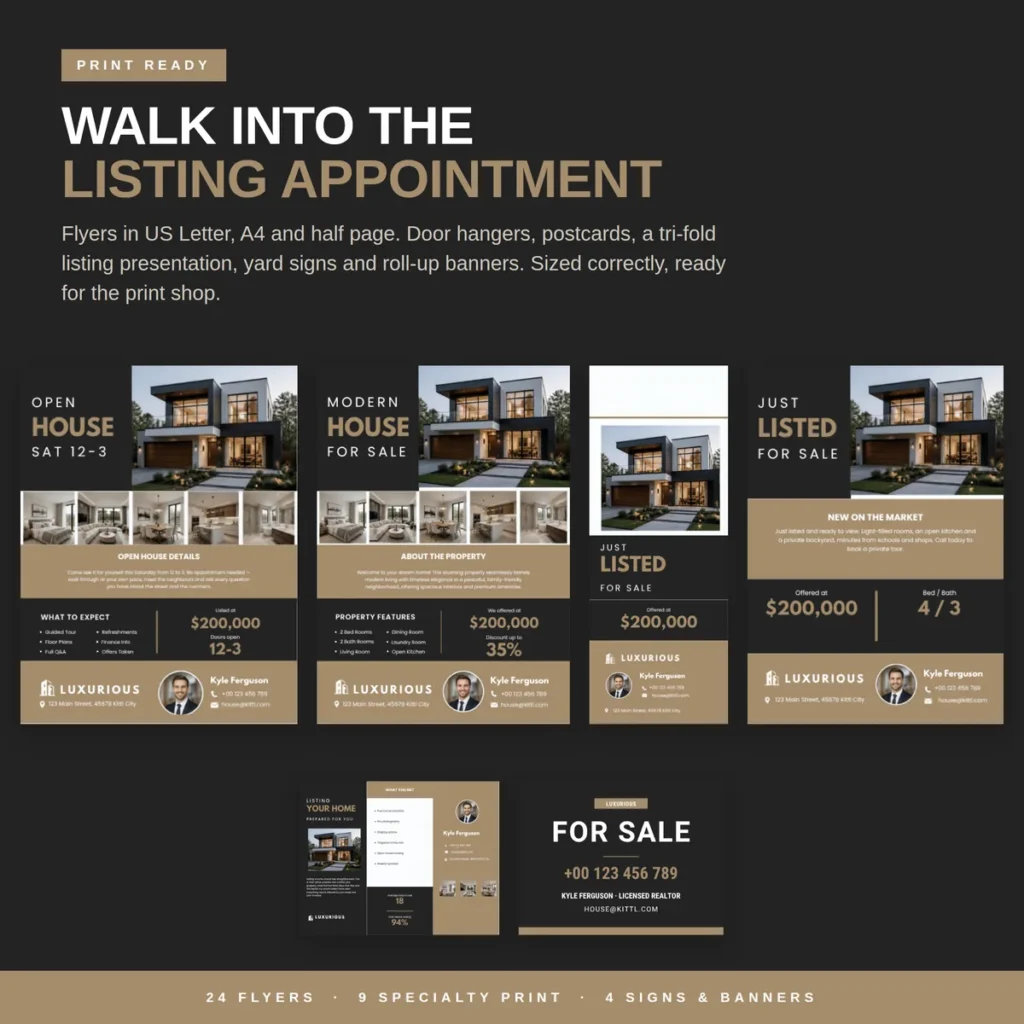
Print still matters at the listing appointment, at the open house and in the neighbourhood. These are the print pieces worth having ready:
- Open house flyer (US Letter 8.5 × 11 in or A4): date and hours, hero photo, 3 to 5 interior photos, price, key features and your contact block.
- Just Listed / For Sale flyer: price, beds and baths, a short property description and a QR code to the listing page.
- Postcards (commonly 6 × 4 in or 6 × 9 in): Just Listed and Just Sold postcards for farming your area.
- Door hangers: neighbourhood announcements and open house invitations.
- Tri-fold listing presentation: your process, marketing plan and results to leave with sellers.
- Yard signs and roll-up banners: large type, phone number and brokerage name readable from the street.
Open house flyer checklist: address, date and time, price, beds, baths, square footage, 3 to 5 highlights, photos, agent headshot, name, phone, email, brokerage logo and any required licence or brokerage disclosure.
Pinterest, video covers and your website
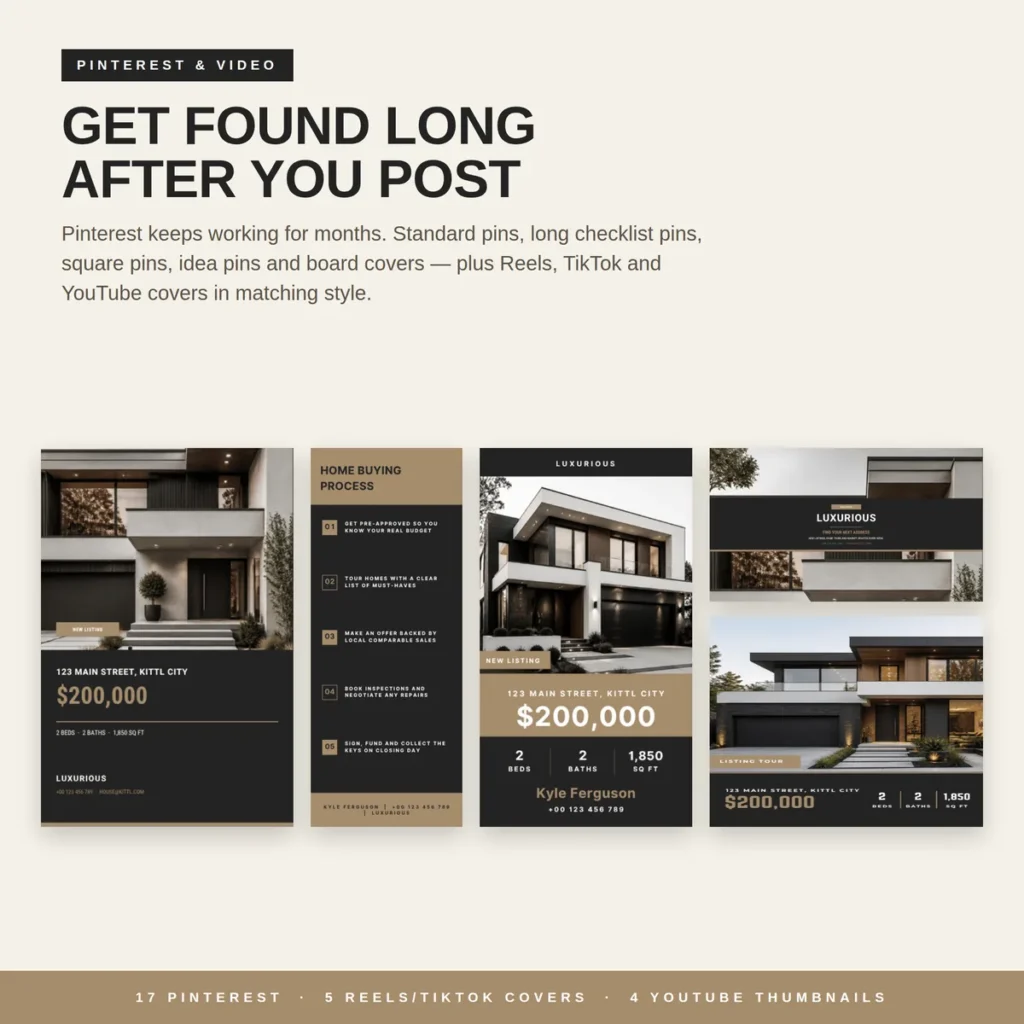
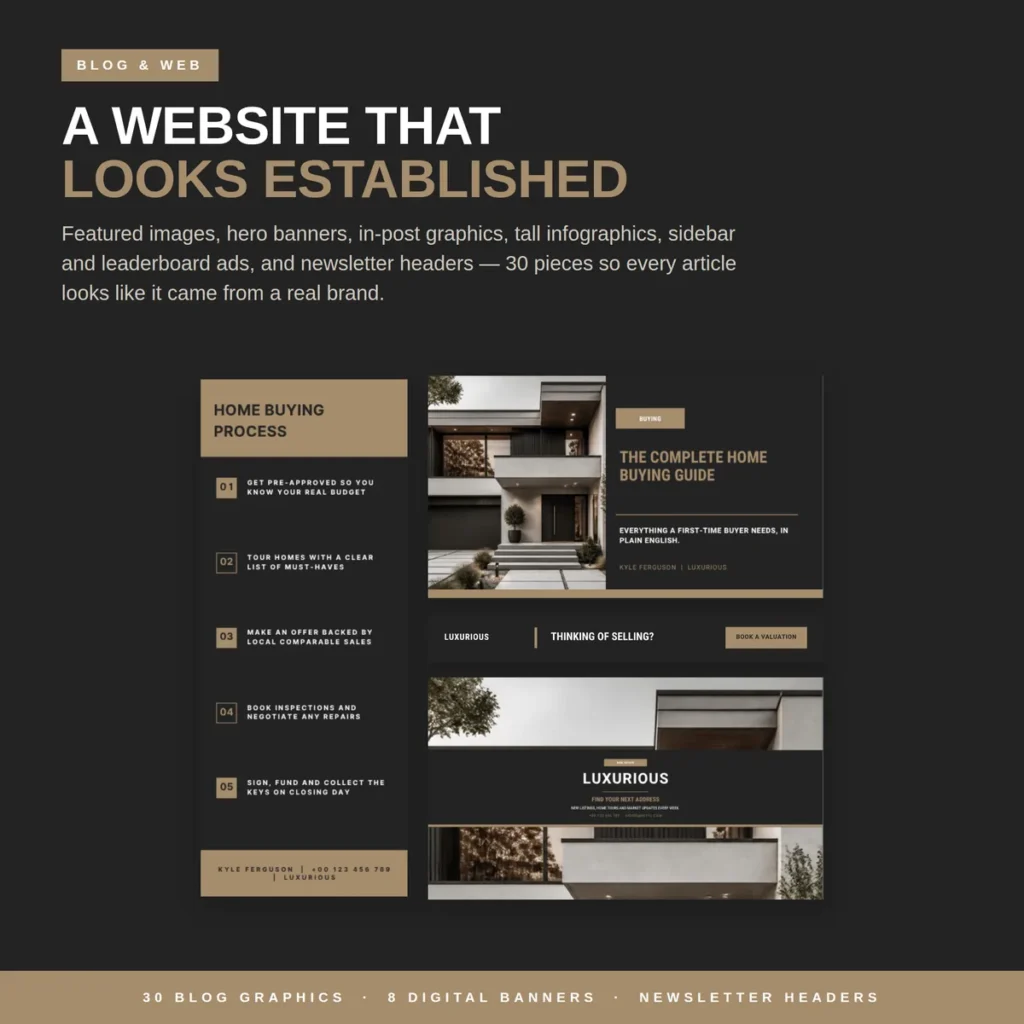
Pinterest behaves like a search engine, so a good pin can keep sending traffic for months. Long checklist pins such as a “Home Buying Process” or “Moving Checklist” work well for agents. Match your Reels, TikTok and YouTube covers to the same palette, and use featured images, hero banners and newsletter headers on your website so every channel looks like one brand.
A simple weekly real estate posting plan
With real estate marketing templates ready to go, aim for 3 to 5 feed posts a week plus daily Stories, and add a post whenever a listing changes status.
| Day | Feed post | Story idea |
|---|---|---|
| Monday | Market Update | Poll: “Buying or selling this year?” |
| Tuesday | Home Tip | Behind the scenes at a showing |
| Wednesday | New Listing (or featured past listing) | Listing photo carousel |
| Thursday | Testimonial | Share a client review |
| Friday | Open House announcement | Countdown sticker |
| Saturday | Open House live | Live walkthrough clips |
| Sunday | Quote or Meet the Agent | Week recap |
How to edit a real estate Canva template in 10 minutes
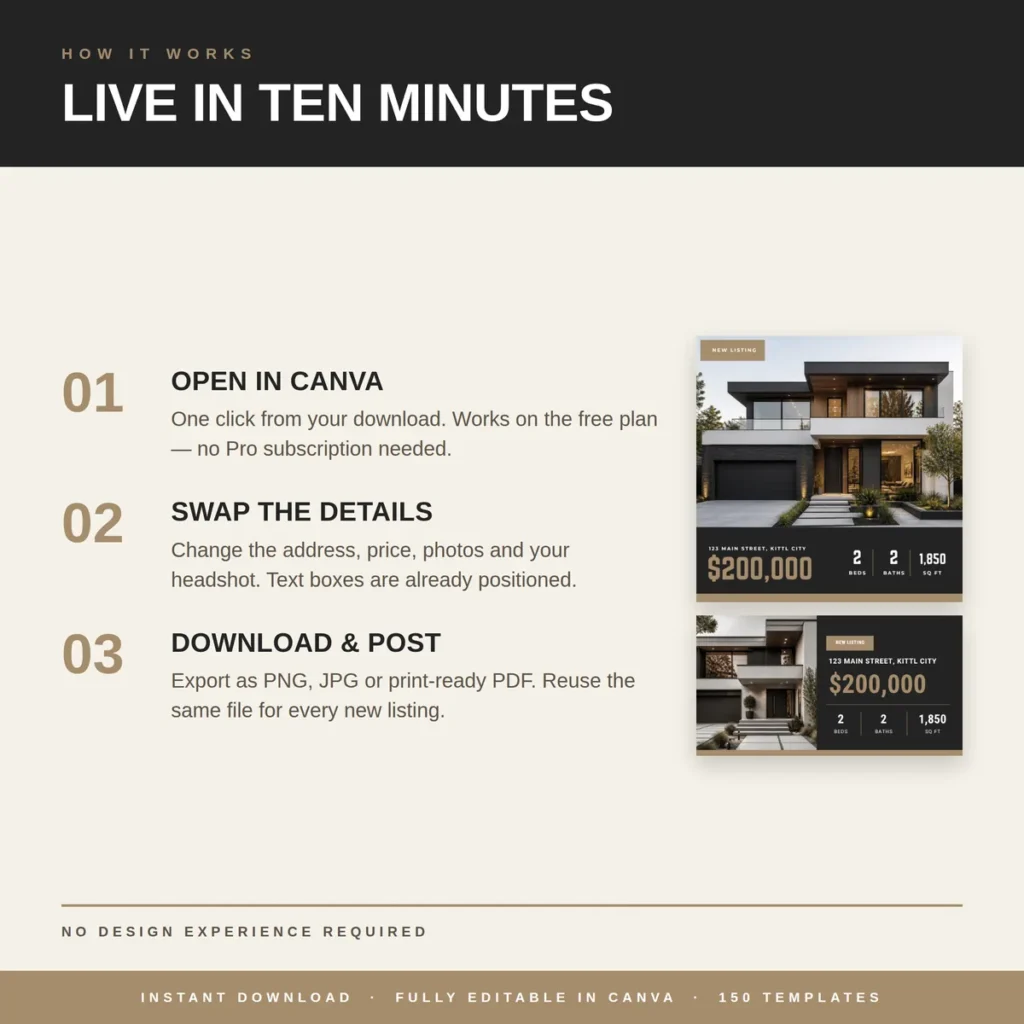
- Open the template in Canva. Click the template link and choose “Use template”. It copies into your own account; the free plan is enough for many templates.
- Set your brand once. Change the two main colours and fonts to match your brokerage, and add your logo and headshot.
- Swap the listing details. Replace the address, price, beds, baths, square footage and photos. Keep text inside the existing boxes so the layout stays balanced.
- Check compliance. Add your brokerage name and any licence details your local advertising rules require.
- Export. Download PNG or JPG for social media, or PDF Print for flyers, postcards and signs.
- Reuse. Duplicate the design for the next listing instead of starting over.
Real estate marketing templates vs hiring a designer vs designing from scratch
| Option | Typical cost | Time per post | Brand consistency |
|---|---|---|---|
| Hire a designer per flyer | $40 to $90 per flyer | Days (turnaround) | High, but costly to scale |
| Freelance social media package | $150+ per month | None for you | Depends on the freelancer |
| Design from a blank canvas | Free | 30 to 60+ minutes | Often inconsistent |
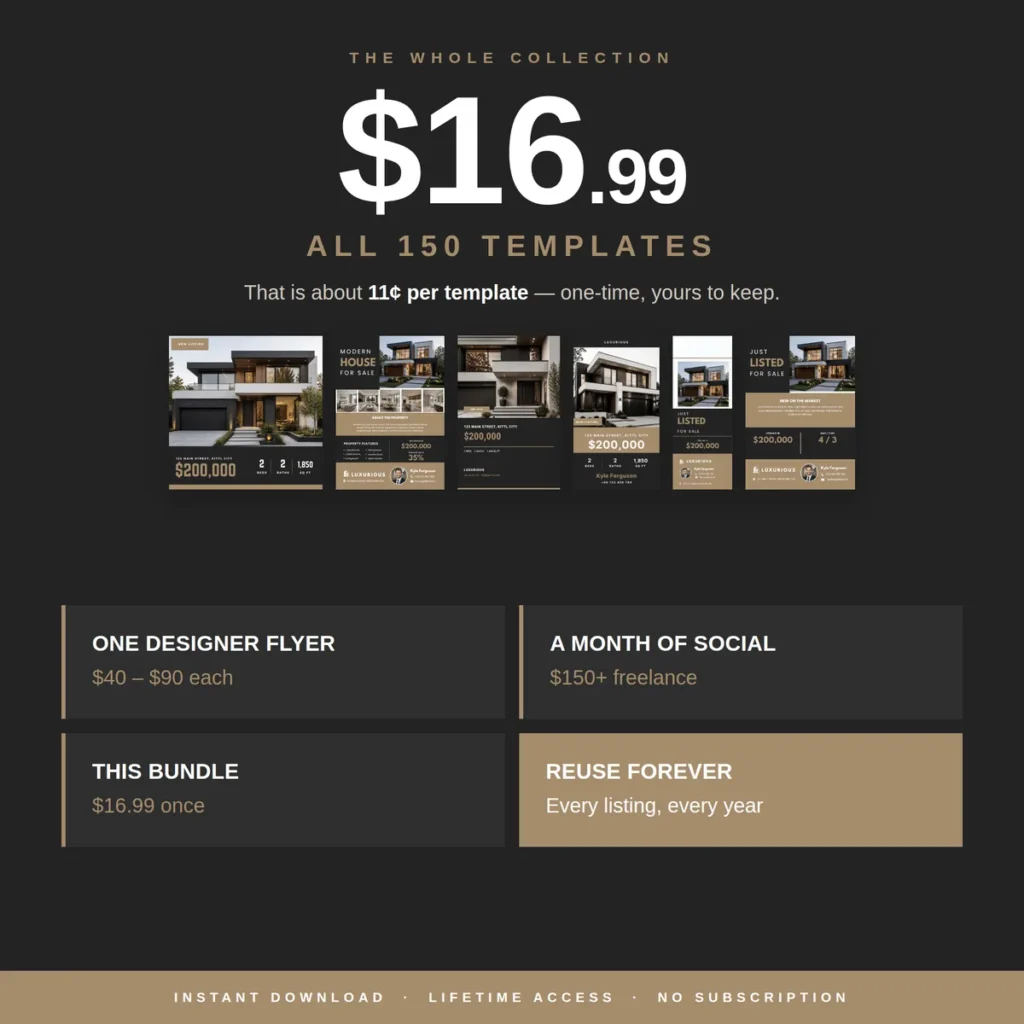
| Ready-made template bundle | One-time, e.g. $16.99 | About 10 minutes | High: one palette, one type scale |
Get 150 ready-made real estate marketing templates
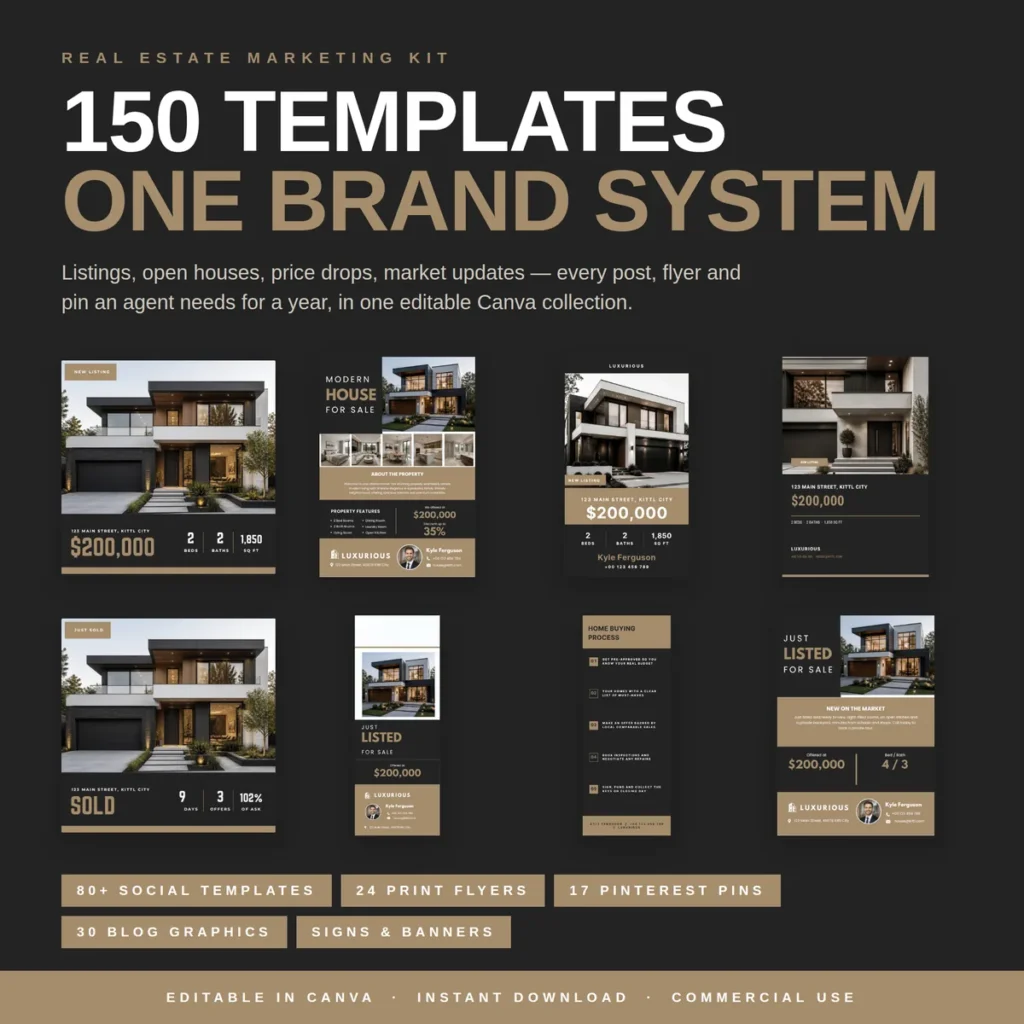
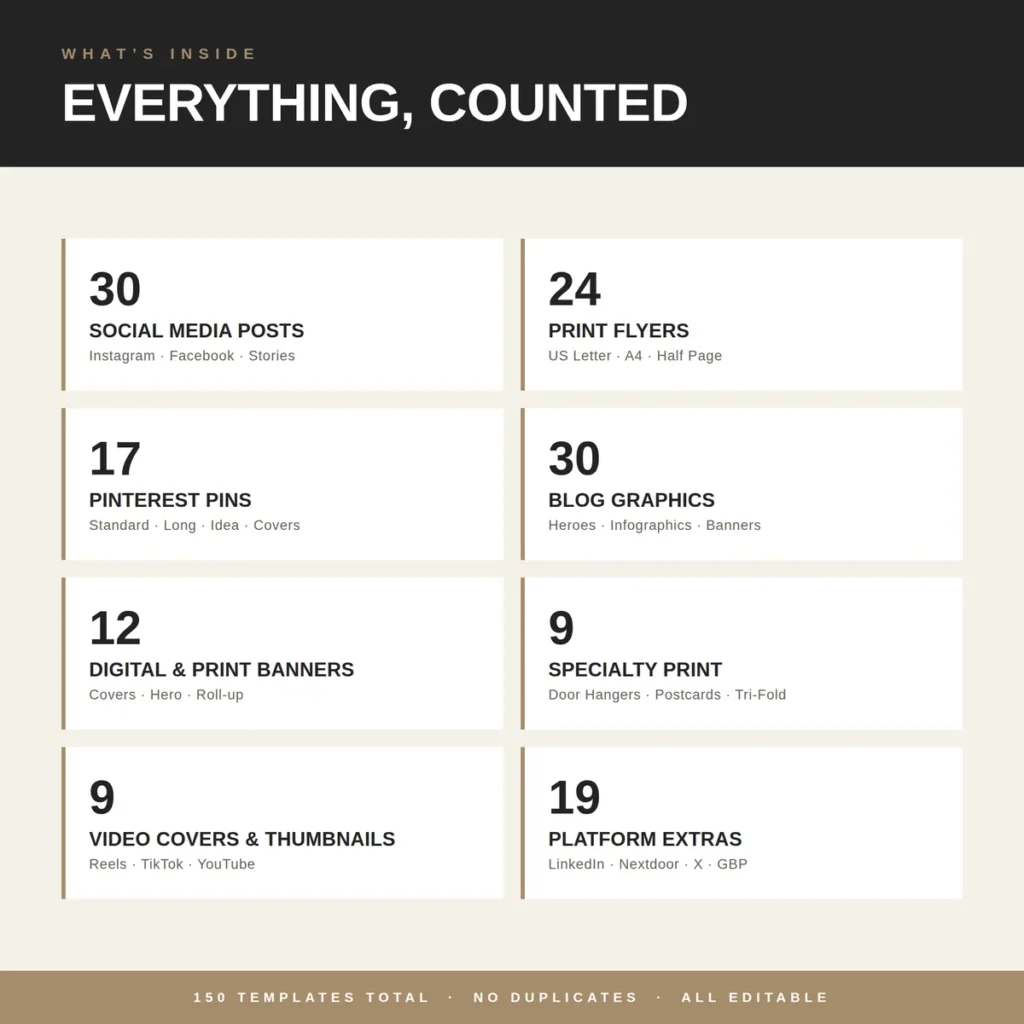
The HawkInc Real Estate Template Bundle packages everything in this guide into 150 editable Canva templates: 30 social media posts, 24 print flyers, 17 Pinterest pins, 30 blog graphics, 12 banners, 9 specialty print pieces (door hangers, postcards, tri-fold listing presentation), 9 video covers and 19 platform extras for LinkedIn, Nextdoor, X and Google Business Profile. It works on Canva’s free plan and costs $16.99 once.
Browse more editable designs in our Business Templates hub, or see the full HawkInc shop.
Frequently asked questions
What are real estate marketing templates?
Real estate marketing templates are pre-designed, editable layouts for the posts, flyers and print pieces agents use to promote listings and their personal brand. You replace the address, price, photos and contact details instead of designing from scratch. Most are edited in Canva and exported as PNG, JPG or print-ready PDF.
What should a real estate agent post on social media?
Rotate ten post types: New Listing, Open House, Just Sold, Price Reduced, Under Contract, Market Update, Testimonial, Meet the Agent, Home Tip and Quote. Listing posts show inventory and results, while market updates, tips and testimonials build trust between listings.
How often should realtors post on social media?
A practical target is 3 to 5 feed posts per week plus daily Stories, with an extra post whenever a listing changes status. Consistency matters more than volume, which is why having templates ready for every listing moment helps.
Are Canva templates good for real estate agents?
Yes. Canva is free, runs in a browser and on mobile, and lets agents edit a template in minutes. A matching template set keeps every post, flyer and sign on-brand without hiring a designer for each piece.
What size is an Instagram post for real estate?
Use 1080 x 1350 px (4:5 portrait) for feed posts because it takes up more screen space, 1080 x 1080 px for square posts, and 1080 x 1920 px (9:16) for Stories and Reels covers.
What size should an open house flyer be?
Most US agents print open house flyers on US Letter (8.5 x 11 in). Outside the US, A4 is standard. A half-page flyer (5.5 x 8.5 in) is useful for handouts and mailbox drops. Export as print-ready PDF.
What should be on an open house flyer?
Include the address, date and open house hours, a strong exterior photo plus 3 to 5 interior photos, price, beds, baths and square footage, 3 to 5 key features, and the agent’s photo, name, phone, email and brokerage logo. A QR code to the listing page is a useful extra.
How much do real estate marketing templates cost?
Single templates on marketplaces like Etsy usually cost a few dollars each, while complete bundles range roughly from $10 to $50. The HawkInc Real Estate Template Bundle includes 150 Canva templates for $16.99, about 11 cents per template.
Do I need Canva Pro to use real estate templates?
Not necessarily. Many templates, including the HawkInc bundle, are built to work on Canva’s free plan. Check the listing before you buy, because some templates use Pro-only elements.
Can I use real estate templates for my brokerage branding?
Yes, as long as you edit the colours, fonts and logo to match your brokerage guidelines. Check your brokerage and local advertising rules for required disclosures, such as brokerage name and licence details, on every ad.
Statistics cited from the National Association of REALTORS® 2025 Technology Survey and 2025 Profile of Home Buyers and Sellers. Sizes reflect common platform recommendations at the time of writing and can change. Canva is a third-party platform; HawkInc is not affiliated with Canva or NAR. This post links to our own product.