
By Dr. Mueed Akhtar, founder of HawkInc
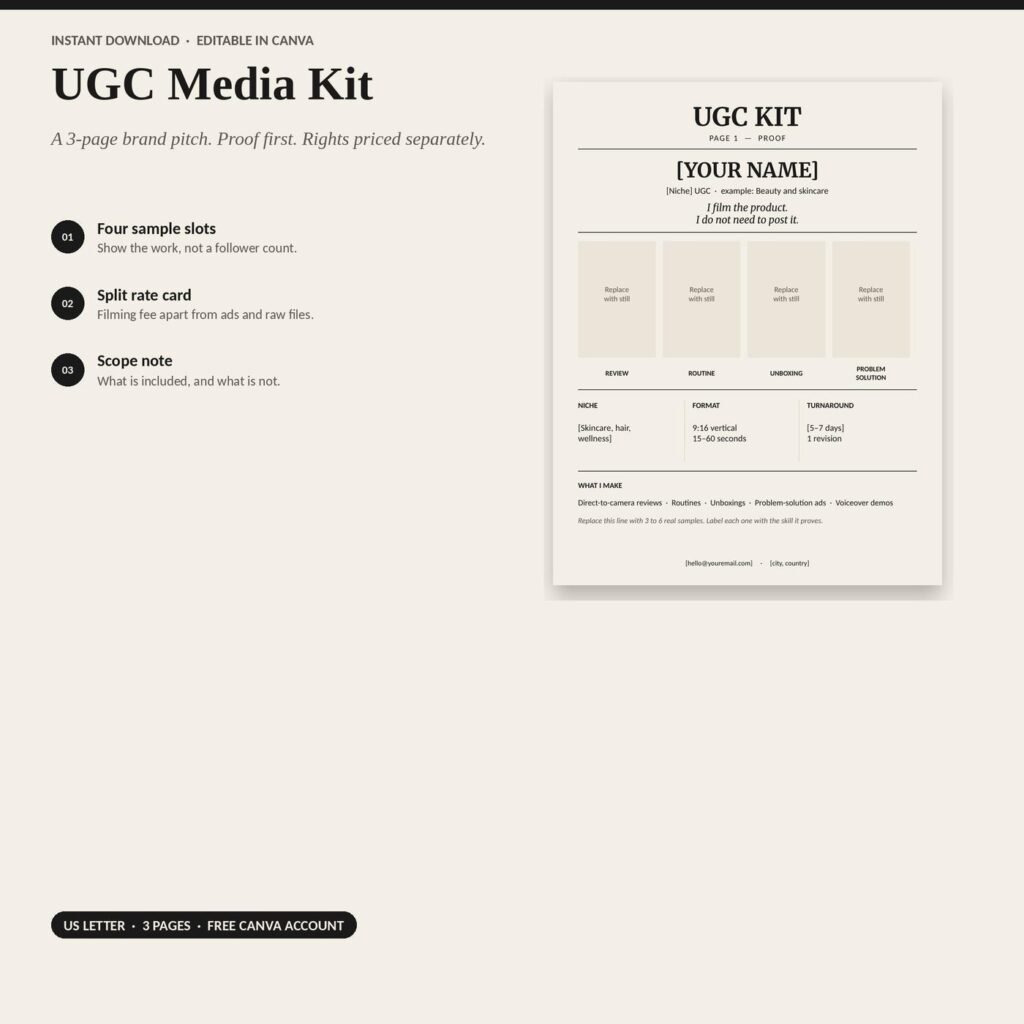
Quick answer: UGC Media Kit Template is a Canva template kit made for small business owners, creators and agents who want professional marketing templates they can edit in Canva. This UGC media kit is an editable Canva template with four sample slots to showcase your work before discussing rates. Made for UGC creators, influencers, and content creators pitching brands, the three-page creator portfolio includes a separate rate card and scope page. Use the US Letter layout to present your samples, pricing, and project details in a clear brand pitch.
Who it is for
This Canva template kit is for small business owners, creators and agents who want professional marketing templates they can edit in Canva.
What it is
Pitch brands with confidence. This UGC portfolio template and UGC media kit for Canva show off your work and include a clear rate card, a complete content creator kit for influencers and bloggers.
A UGC kit is not an influencer bio. Brands buying user-generated content want to see the work first, then a price menu. This editable content creator pitch kit gives you both in three clean US Letter pages. Edit the words, drop in your own video stills, and download a PDF to send with every brand pitch.
What you get
- Page 1, Proof (UGC Portfolio): name, niche, four sample slots, formats, and turnaround.
- Page 2, UGC Rate Card: creative fee, 90-day and 12-month paid ads usage, whitelisting, extra hooks, raw footage, and a starter package.
- Page 3, Scope: brief, script, delivery, and a clear list of what is not included.
- A clickable Canva template link and a short editing guide (PDF).
Who it is for
- New and growing UGC creators building their first portfolio
- Influencers who need a media kit and rate card for brand deals
- Content creators who want to look professional when pitching brands
How to use it, step by step
- Download the PDF from Etsy and open the Canva template links.
- Make a copy, then add your brand colors, logo, photos and contact details.
- Swap the sample text for your own offers and calls to action.
- Download in the right size for each platform or print.
- Save your branded copy as a master to reuse every month.
Tips for the best results
- Keep 2 or 3 brand colors and fonts for a consistent look.
- Batch-create a month of posts in one sitting.
- Use your own photos where possible; they build trust.
Frequently asked questions
Do I need Canva Pro?
No. The template works with a free Canva account.
Can I change the colors, fonts, and layout?
Yes. Everything is fully editable in Canva: text, colors, fonts, photos, and page order.
Can I edit it on my phone?
You can edit in the Canva mobile app, but open the PDF on a computer first so the Canva link opens properly. Editing on a computer is easiest.
Are the prices in the rate card a recommendation?
No. The dollar figures are placeholders so the layout reads well. Set rates that fit your niche, experience, and usage terms.
Is the scope page a legal contract?
No. It is a scope summary to set expectations with brands. Use a proper contract for paid deals.
What size is the template?
Three US Letter pages (8.5 x 11 in), ready to export as a PDF.
When will I get my files?
Instantly after payment. Find them under Account > Purchases and Reviews on Etsy.
What if the Canva link does not open?
Make sure you are opening the PDF on a computer and are signed in to Canva. If it still does not work, message me and I will help right away.
Get it
UGC Media Kit Template is an instant digital download, priced at about $4.99 on Etsy. Nothing is shipped; you download the files right after checkout.