
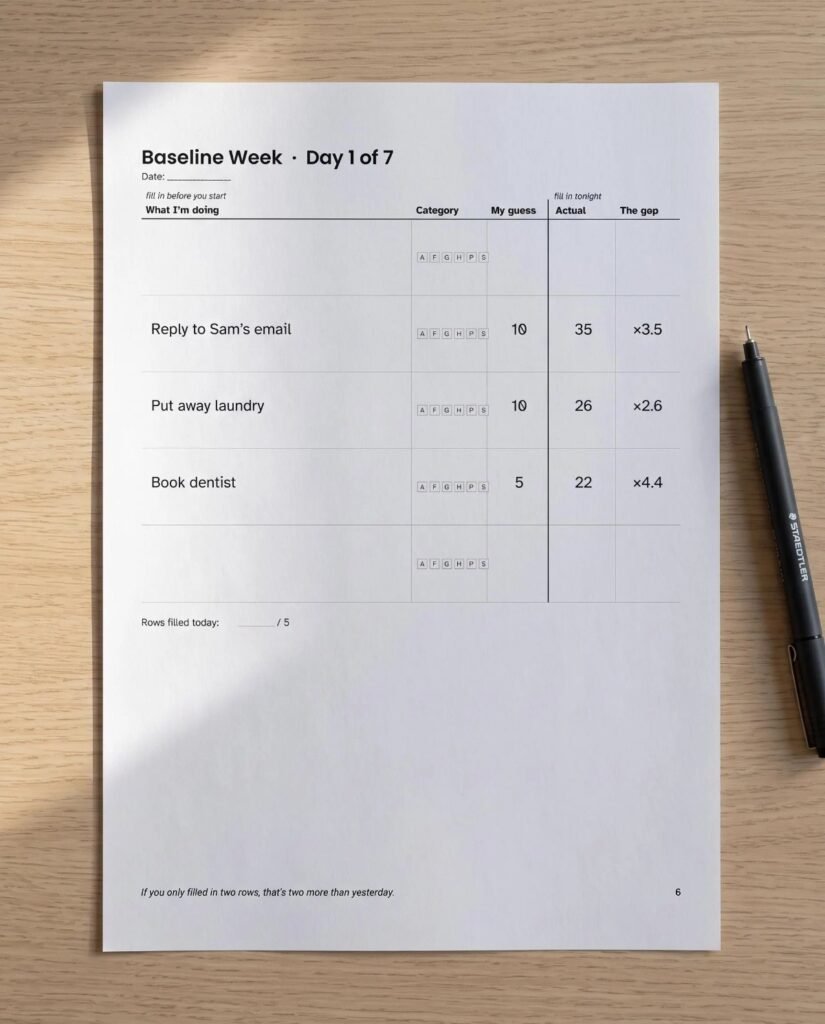
Quick answer: ADHD time blindness is difficulty sensing how much time has passed and how long tasks will take. The planning tricks that work make time visible and measurable: log guessed versus actual task times for a week, plan with personal multipliers, add buffers and slack, use an actual-size hourly schedule and work backwards from leave-by times.
By Dr. Mueed Akhtar, PhD (Chemical Engineering), founder of HawkInc
Last updated: October 13, 2026
Key takeaways
- Time blindness is about estimating and sensing time, not about caring less or trying less hard.
- Your guesses are data. One week of guess-versus-actual logging gives you a personal multiplier for each type of task.
- Plan with multiplied times, then add buffers between tasks and a slack block in every day.
- Make time physical: an analogue clock, a visual timer and an hourly page where every hour looks the same size.
- Plan departures backwards from the arrival time, and set alarms for when to leave, not when to arrive.
Table of contents
What is ADHD time blindness?
Time blindness is a plain-language term for trouble feeling time pass and judging how long things take. It shows up as “five more minutes” turning into forty, chronic lateness, and to-do lists that would need a 30-hour day. It is not laziness; it is a gap between the time you sense and clock time.
Attention-deficit/hyperactivity disorder involves ongoing patterns of inattention and/or hyperactivity-impulsivity that interfere with daily life, as the National Institute of Mental Health explains. For adults, the NHS overview of ADHD in adults lists “finding it hard to organise your time” among the possible signs. Time blindness describes that experience from the inside.
Why do people with ADHD struggle to sense time?
According to Cleveland Clinic, time blindness is not a diagnosis but a way of describing losing track of time. Interesting activities run on effortless “automatic” attention, where time flies; dull ones need effortful “directed” attention, which is harder with ADHD. So enjoyable tasks overrun and boring ones get avoided.
A good plan corrects for both: realistic durations for the overrun, and small, clear first steps and visible reminders for the tasks you would rather avoid.
9 planning tricks for ADHD time blindness that work
Start with the first three: they turn vague feelings about time into numbers you can plan with.
1. Run a baseline week
For seven days, write each task, guess how long it will take, then record the real minutes. Do not try to be faster; the point is honest data. Include small jobs like replying to an email or putting laundry away, because these “two-minute” tasks are where days quietly disappear.
2. Work out your personal multipliers
Divide actual minutes by your guess for each task, then average by category: admin, focus work, going out, home jobs, people and screens. A multiplier of 2.5 means your gut says ten minutes and reality says twenty-five. Write your numbers on a card you can see while you plan.
3. Plan with multiplied times, not guesses
When you plan tomorrow, write your guess, multiply it, and schedule the bigger number. It will feel wrong at first because the day looks emptier. That emptier day is the honest one, and finishing it feels far better than failing a fantasy schedule.
4. Add buffers and a slack block
Leave a small buffer after each task for switching and surprises. Then protect one larger block, such as 45 minutes, as slack. If the day runs to plan, slack becomes free time; if it does not, slack absorbs the overrun instead of your evening.
5. Use an actual-size hourly page
Many diaries squeeze the morning into tiny rows and leave large boxes for the afternoon, which distorts how long hours look. A page where every hour from 06:00 to 22:00 is the same height shows time to scale, so a three-hour task visibly takes three hours of the page.
6. Make time visible
Put an analogue clock where you work and use a visual countdown timer for focused tasks. Seeing the remaining time shrink gives your brain the cue it does not produce on its own.
7. Work backwards from the leave-by time
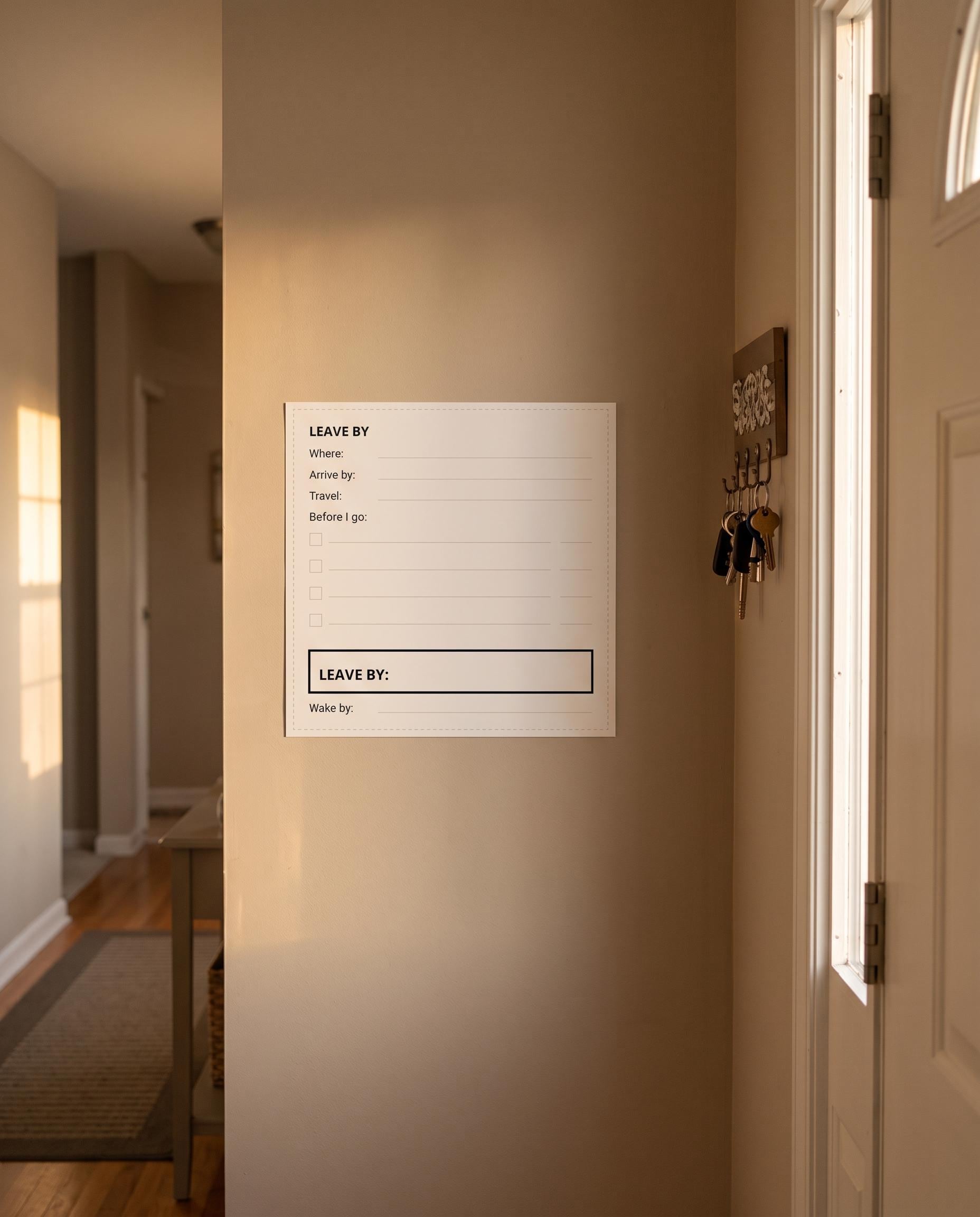
For any appointment, start from the arrive-by time and subtract travel time, every before-you-go step and a buffer. The answer is your leave-by time, and from that you get a wake-by time. Keep these on a card by the door.
8. Set transition alarms, not just start alarms
Hyperfocus makes stopping harder than starting. Set an alarm ten minutes before a task should end, labelled with what comes next. That warning gives you time to save work, write a note to your future self and switch without a scramble.
9. Review your numbers every week
Once a week, compare your plans with what happened and update your multipliers. They will shift with sleep, workload and seasons. Weekly reviews keep your plan honest without the all-or-nothing restarts that make so many planners end up abandoned in a drawer.
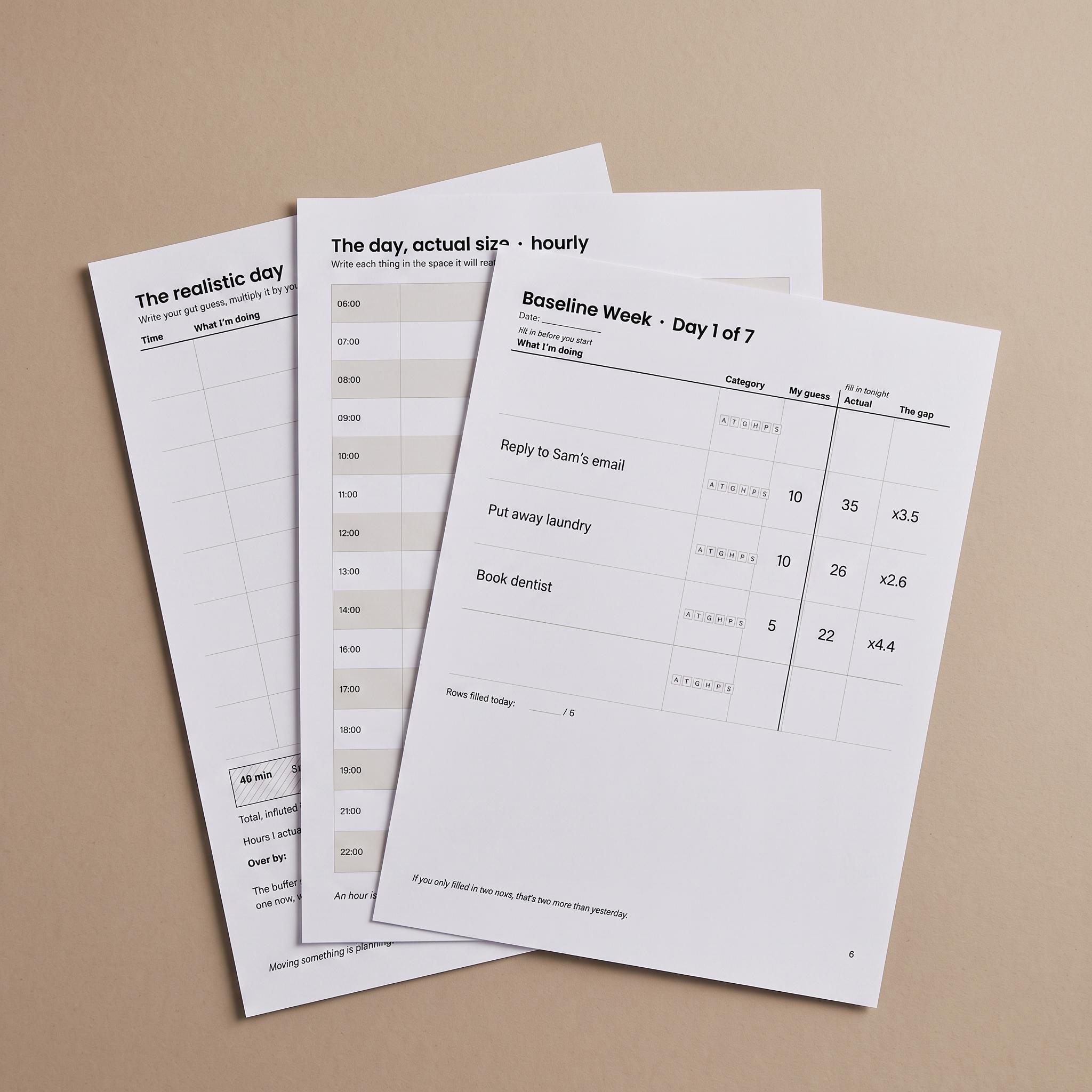
Want the pages ready-made? The HawkInc ADHD Time Blindness Planner turns a week of guesses into personal multipliers and a realistic daily plan. Printable PDF + editable Excel, undated. USD 2.99 on Etsy (regular USD 4.99).
How do you work out a time multiplier? A worked example
A time multiplier is actual minutes divided by guessed minutes. Log at least five to ten tasks in a category, add up the actual minutes, divide by the total guessed minutes, and round to one decimal place. Here is an example week for a fictional person, Sam, using four everyday tasks.
| Task | Category | Guess (min) | Actual (min) | Multiplier |
|---|---|---|---|---|
| Reply to a work email | Admin | 5 | 18 | ×3.6 |
| Put away laundry | Home | 10 | 25 | ×2.5 |
| Grocery run | Going | 30 | 70 | ×2.3 |
| Draft a report section | Focus | 45 | 120 | ×2.7 |
Sam now knows that a “quick” admin job needs nearly four times the minutes they expect. Next time an email feels like a five-minute task, Sam blocks 18 to 20 minutes for it. Your own numbers will be different, which is exactly why measuring beats copying someone else’s system.
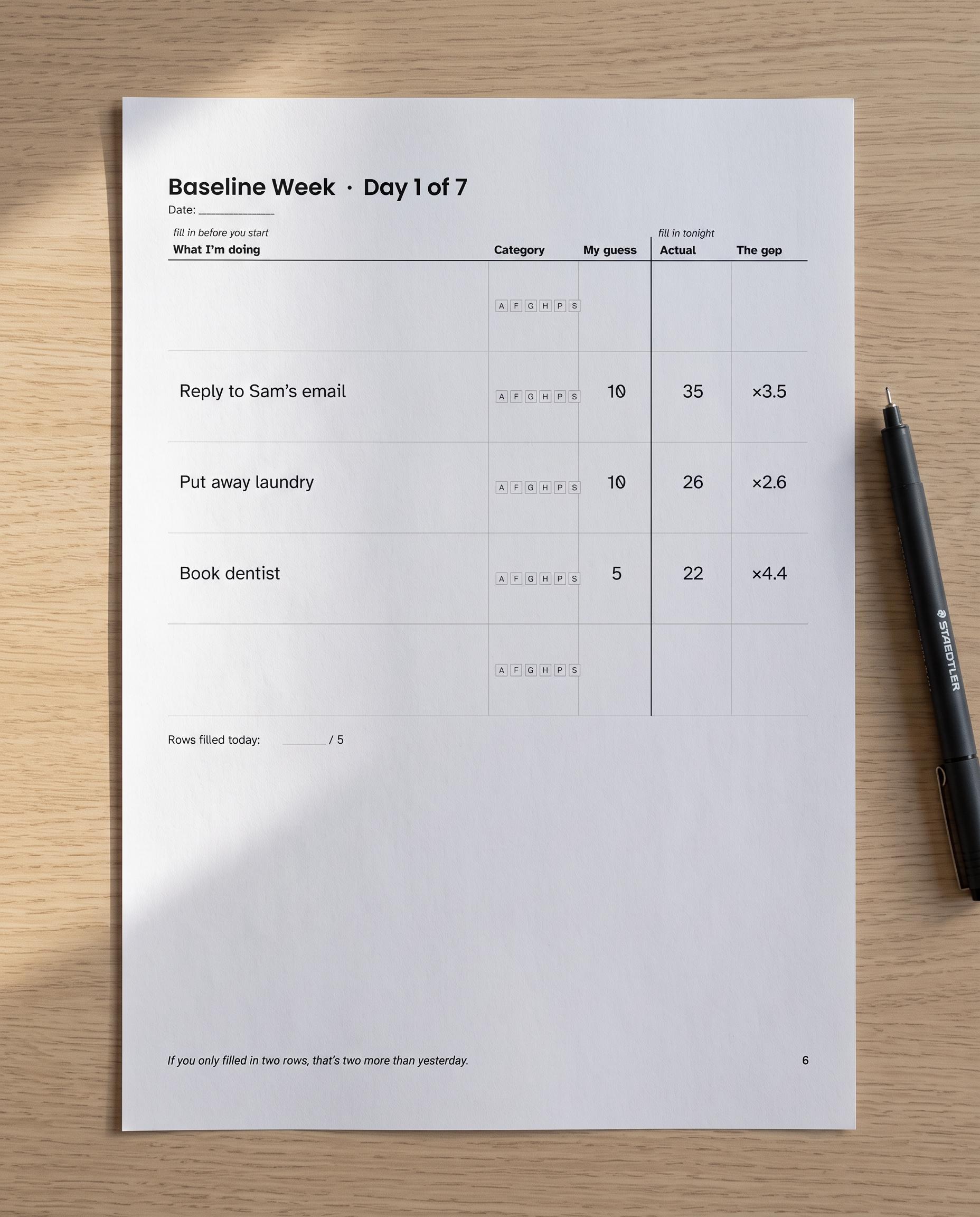
What does a realistic ADHD daily plan look like?
A realistic plan has fewer tasks than you want, each scheduled at its multiplied length, with buffers between them and one protected slack block. It should leave visible white space. Below is a sample workday plan using Sam’s multipliers where they exist, with a 45-minute slack block after lunch.
| Time | Task | Guess | Planned (multiplied) | Buffer |
|---|---|---|---|---|
| 09:00 | Inbox and admin | 15 min | 55 min | 5 min |
| 10:00 | Report section (focus) | 45 min | 2 h | 10 min |
| 12:15 | Lunch and short walk | 30 min | 45 min | – |
| 13:00 | Slack block | – | 45 min | – |
| 13:45 | Calls and messages (people) | 20 min | 50 min | 10 min |
| 14:45 | Grocery run (going) | 30 min | 70 min | 5 min |
| 16:00 | Laundry and tidy (home) | 10 min | 25 min | – |
| 16:30 | Plan tomorrow | 10 min | 15 min | – |
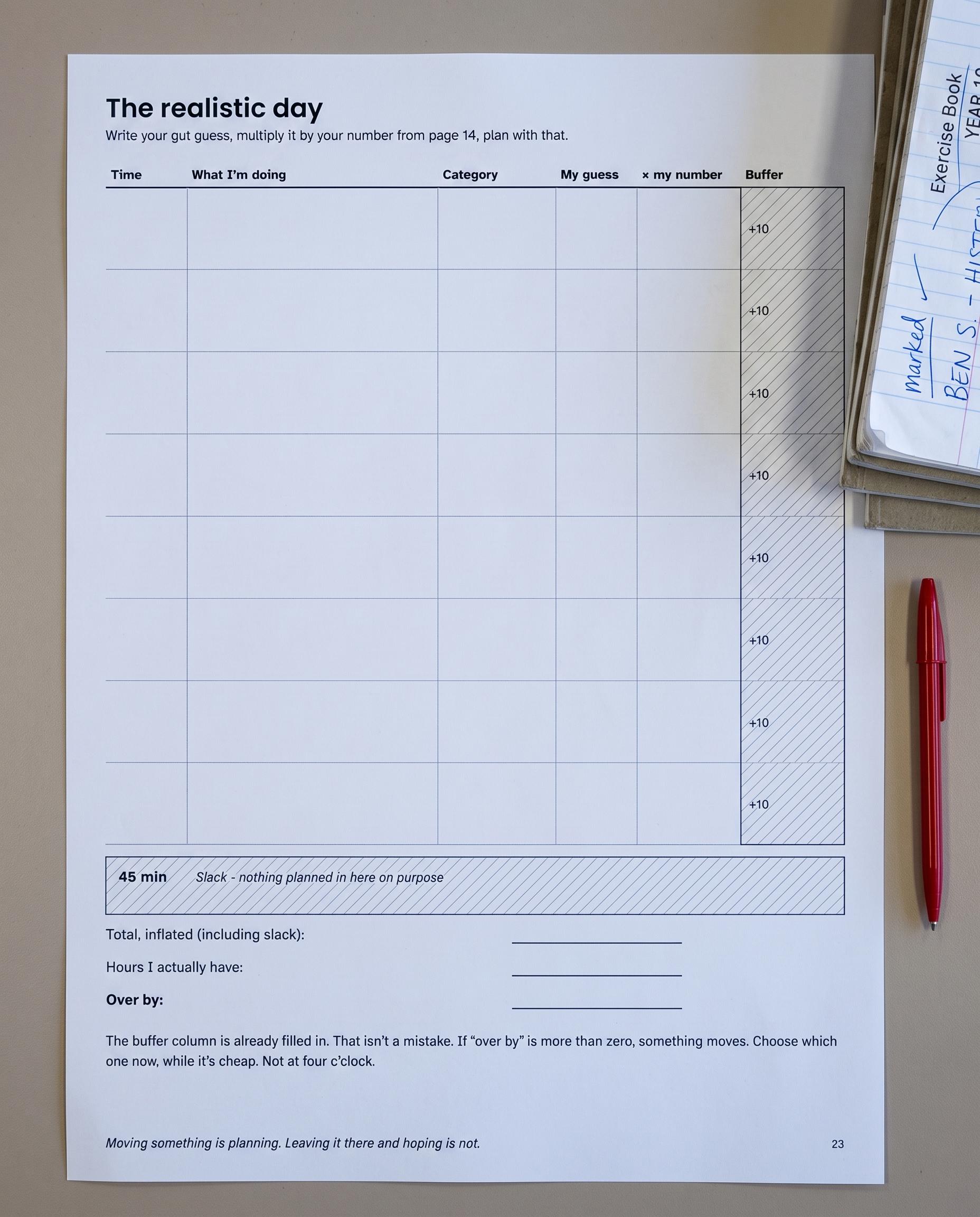
How can you stop running late? A leave-by checklist
To stop running late, plan departures backwards from the arrival time and set an alarm for when to leave, not when to arrive. List every step before you go, timed with your multipliers, then add travel time and a buffer. Follow these steps for any appointment:
- Write the arrive-by time, for example 10:00.
- Check travel time on a map app and add it, for example 25 minutes.
- List every before-you-go step (shoes, keys, bag, charger, water) and time them honestly, for example 15 minutes.
- Add a buffer of at least 10 minutes for parking, traffic or a lost item.
- Subtract everything from the arrive-by time to get your leave-by time: 09:10.
- Set two alarms: one at the leave-by time, and one 15 minutes earlier to start getting ready.
For a quick sanity check on longer jobs, our free How Long Would It Take? calculator is a playful way to practise estimating before you compare with reality.
Frequently asked questions
Is time blindness a symptom of ADHD?
Time blindness is not a formal diagnostic term, so you will not find it listed word for word in diagnostic criteria. It is a plain-language name for trouble sensing and estimating time. Many adults with ADHD describe it, and the NHS lists finding it hard to organise your time among the possible signs of ADHD in adults.
Can you have time blindness without ADHD?
Yes. Anyone can misjudge time when they are stressed, sleep-deprived, absorbed in a task or juggling too much, and the habit of underestimating tasks is very common. It tends to be more frequent and more disruptive with ADHD, but the planning tricks in this guide help anyone who regularly runs late.
How do I stop being late with ADHD?
Plan backwards from your arrival time rather than forwards from now. Write down travel time, add every before-you-go step at its real length, add a buffer, and set an alarm for the leave-by time instead of the arrival time. A leave-by card by the door keeps those numbers visible every time.
Does medication fix time blindness?
This guide does not cover treatment. ADHD medication and other treatments are decisions to make with your doctor, who can explain what may help your symptoms. Whatever your care plan, external tools such as visible clocks, measured task times and buffers can make day-to-day time easier to manage alongside it.
Is a paper or digital planner better for time blindness?
Use whichever you will actually look at. Paper stays visible on a desk or fridge and does not hide behind other apps, while a spreadsheet does the multiplier maths for you and is easy to search. Many people track their baseline digitally and print the daily plan to keep it in sight.
How long until I notice a difference?
You will have your first real numbers after a single baseline week, which is often eye-opening on its own. From there, planning with multiplied times usually feels different within days, because your schedule finally matches reality. Review and adjust your multipliers weekly; they change as your routine and energy change.
In short: ADHD time blindness responds to measurement, not willpower. Log one baseline week, plan with your personal multipliers, protect buffers and slack, make time visible, and plan departures backwards from your arrival time.
For more on ADHD itself, including how it is assessed, see the CDC ADHD information pages. If low motivation, rather than lost time, is your bigger hurdle, try our guide to making a dopamine menu for ADHD, and for home chaos see the ADHD decluttering system. Browse more planners in the productivity hub.
Ready to measure your own time? The HawkInc ADHD Time Blindness Planner turns a week of guesses into personal multipliers and a realistic daily plan. Printable PDF + editable Excel, undated. USD 2.99 on Etsy (regular USD 4.99).
This guide is for general information and is not medical advice; talk to your doctor before starting a new exercise or health routine, or if time problems are affecting your daily life.