
Good Etsy mockups for digital products are the difference between a listing that gets scrolled past and one that gets clicked. A buyer can’t hold a planner PDF or a Canva template, so your mockup has to do the job for them: show the product in a real setting, at the right size, in a style that fits your shop. This guide covers the exact image sizes, the scenes that convert, and seven practical tips. If you’d rather hand the work off, there’s a done-for-you option in the Services section below.
On This Page
Quick answer: Etsy mockups for digital products
- Size: make listing images at least 2000 px on the shortest side. 2700 × 2025 px (4:3) fills Etsy’s gallery; 2000 × 2000 px is a safe square.
- First image: one clear product shot in a lifestyle scene, with the product filling most of the frame.
- Image set: use all 10 slots — hero, close-up, “what’s included”, size or format guide, and a styled scene.
- Style: match your shop’s look (minimal, boho, cozy or modern) so the listing feels like one brand.
Why Etsy mockups for digital products matter so much
On Etsy, your first image is your shop window. In search results it shows as a small thumbnail next to dozens of similar products, and buyers decide in about a second whether to click.
Physical sellers can photograph the real thing. Digital sellers can’t, which is why a flat screenshot of a PDF almost never wins the click. A mockup places your design on a tablet, a framed wall, a desk or a phone, so the buyer can picture using it. That picture is what sells.
Mockups also answer questions before they’re asked: How big is the print? What does the planner look like inside? Will it work in GoodNotes? Fewer questions means fewer abandoned carts and fewer disappointed reviews.
Etsy listing photo size for mockups
Etsy crops thumbnails differently across search, the listing page and the app, so build every mockup with a safe margin around the product.
| Use | Recommended size | Notes |
|---|---|---|
| Main listing image | 2700 × 2025 px (4:3) | Fills the gallery with no letterboxing |
| Square alternative | 2000 × 2000 px | Safe for search thumbnails and social reposts |
| Minimum | 2000 px shortest side | Keeps zoom sharp |
| File type | JPG, sRGB | Small file, accurate colour |
When you design Etsy mockups for digital products, keep the key product and any text in the centre 80% of the image. Anything close to the edges can get cut off in the square search crop. Etsy’s own Seller Handbook has more on listing photography.
7 tips for Etsy mockups for digital products that sell
1. Make the first image about one thing
Your hero image should show the product, big and clear, in one believable scene. Save the collages and bundles for images two to ten. A busy first image turns into visual noise at thumbnail size.
2. Match the scene to the buyer
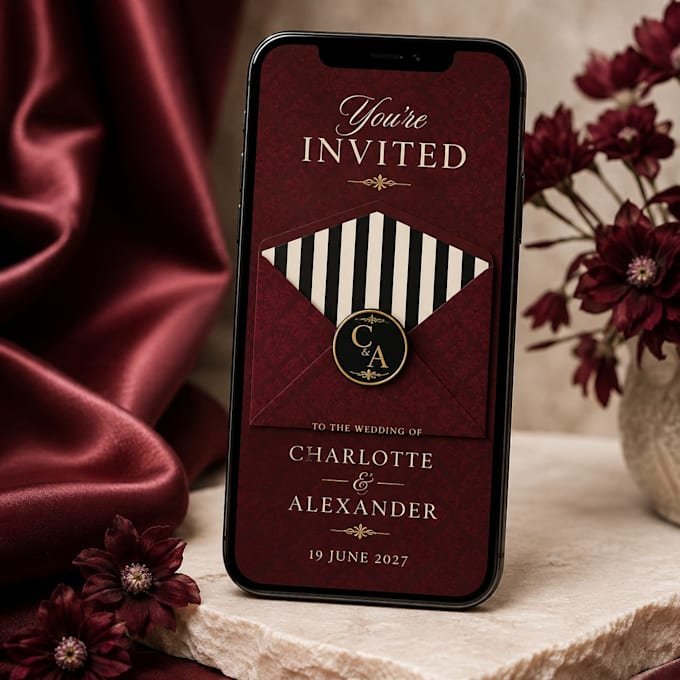
A budget planner belongs on a tidy desk with a coffee and a calculator. Nursery wall art belongs in a soft, light room. A wedding invitation belongs on a phone surrounded by flowers and satin. The scene tells the buyer “this is for someone like you”.
3. Show the inside, not just the cover
The best Etsy mockups for digital products show what’s inside. For planners, journals and Notion or Canva templates, buyers want to see the pages. Add a tablet mockup showing two or three inside spreads, and a grid image that previews everything included.
4. Add a “what you get” image
One clean infographic listing file types, page count, sizes and compatible apps (GoodNotes, Notability, Canva, Notion) cuts down on pre-sale messages and refund requests.
5. Show scale for printables and wall art
Wall art sells better when buyers can see it above a sofa or next to a bed. A size guide showing 5×7, 8×10, 11×14 and A-series prints on the same wall helps buyers choose with confidence.
6. Keep one consistent style across your shop
When every listing uses the same colour palette, props and lighting, your shop page looks like a brand rather than a random collection. Pick a style — minimal, boho, cozy or modern — and stick with it.
7. Use video mockups where you can
Etsy lets you add a short video to each listing. A 5–10 second clip flipping through a planner or zooming into a print grabs attention in search and on the listing page.
Mockups for print-on-demand products
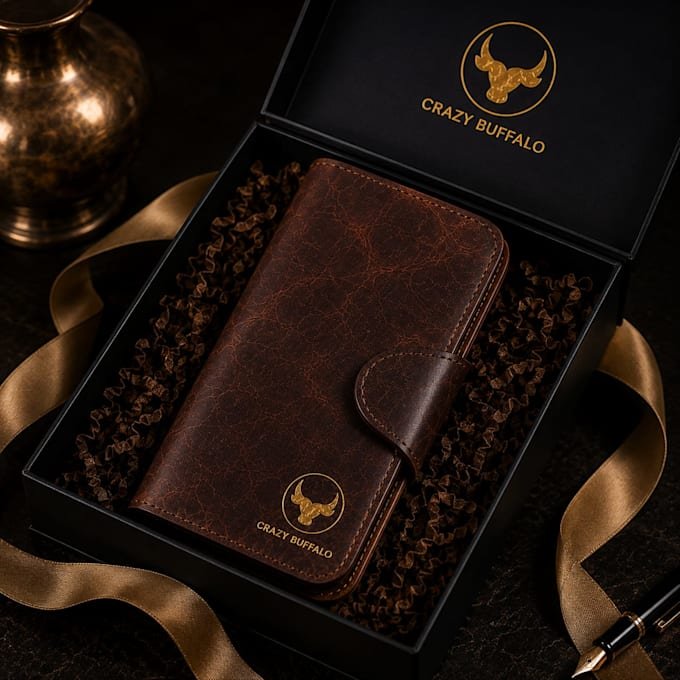
The same rules apply to print-on-demand items like t-shirts, hoodies, mugs, tote bags, phone cases and posters. Supplier mockups are generic, and hundreds of shops use the same ones. A custom lifestyle scene makes your product look different from the listing next to it, even when the blank is the same.
DIY mockups or done-for-you?
You can make Etsy mockups for digital products yourself with Canva, Photoshop smart objects or an online mockup generator. That works well if you have time and a good eye. The catch is that popular templates show up in hundreds of competing listings, and learning to make scenes look real takes practice.
A done-for-you service makes sense when you’re launching several listings at once, when your current photos aren’t converting, or when you’d rather spend your time designing new products. Before you list, it’s also worth running your numbers through our free Etsy Fee & Profit Calculator so you know what each sale earns you.
Services: realistic Etsy product mockups, done for you
I run my own Etsy shop, so I know what makes a listing convert. On Fiverr, I create Etsy mockups for digital products and print-on-demand items: clean, realistic scenes that show your product in real-life settings, sized for Etsy thumbnails and gallery (2000 × 2000 and 2700 × 2025 px) and styled to match your shop.
- Digital products: planners, printables, wall art, Canva and Notion templates, journals, digital invitations
- Print-on-demand: t-shirts, hoodies, mugs, tote bags, phone cases, posters
- Every package includes: high-resolution files, source files and commercial use for your listings, ads and social media
| Package | What you get | Revisions | Delivery |
|---|---|---|---|
| Starter Mockups | 3 realistic mockups, high-res JPG sized for Etsy | 1 | 2 days |
| Shop Ready | 7 mockups with lifestyle scenes + listing thumbnail | 3 | 3 days |
| Full Listing Pack | 12 mockups + 1 video mockup + infographics + source files | Unlimited | 4 days |
Just send your design files (a transparent PNG for print-on-demand, or a PDF for printables) and tell me your style. Faster delivery is available on every package. Message me before ordering if you need a custom scene or a bulk order.
FAQ
What size should Etsy mockups be?
At least 2000 px on the shortest side. 2700 × 2025 px (4:3) fills the listing gallery, and 2000 × 2000 px works well as a square that survives every crop.
How many mockups should a digital product listing have?
Good Etsy mockups for digital products fill all 10 image slots: a hero lifestyle shot, inside pages or close-ups, a “what’s included” graphic, a size or compatibility guide, and a few styled scenes. Add a short video if you have one.
Can I use purchased mockups commercially?
It depends on the licence. Mockups ordered through my Fiverr gig include commercial use, so you can use them in Etsy listings, ads and social media.
What files do I need to send for custom mockups?
A PNG or JPG of your design (transparent PNG for print-on-demand), or a PDF for printables. Your Etsy shop link or a few reference images help match the style.
Final thoughts
Strong Etsy mockups for digital products do three things: win the click in search, answer buyer questions, and make your shop look like a brand. Get the size right, lead with one clear lifestyle image, show what’s inside, and keep your style consistent. Do it yourself or order custom mockups on Fiverr — either way, your listings will thank you.