This project management dashboard template is a ready-made Excel and Google Sheets workbook for freelancers and small teams who want one place to see tasks, deadlines, risks and progress. You get eleven linked tabs, an automatic Gantt chart, an offline web-app version and a printable planner pack, with no subscription.
Price and what you download
- Price: USD 4.19 on Etsy (sale price; regular USD 6.99)
- Formats: Excel workbook, Google Sheets version, offline web app, printable PDFs
- Workbook: 11 linked tabs
- Printables: 12 undated pages + cover + guide
- Paper sizes: A4 and US Letter
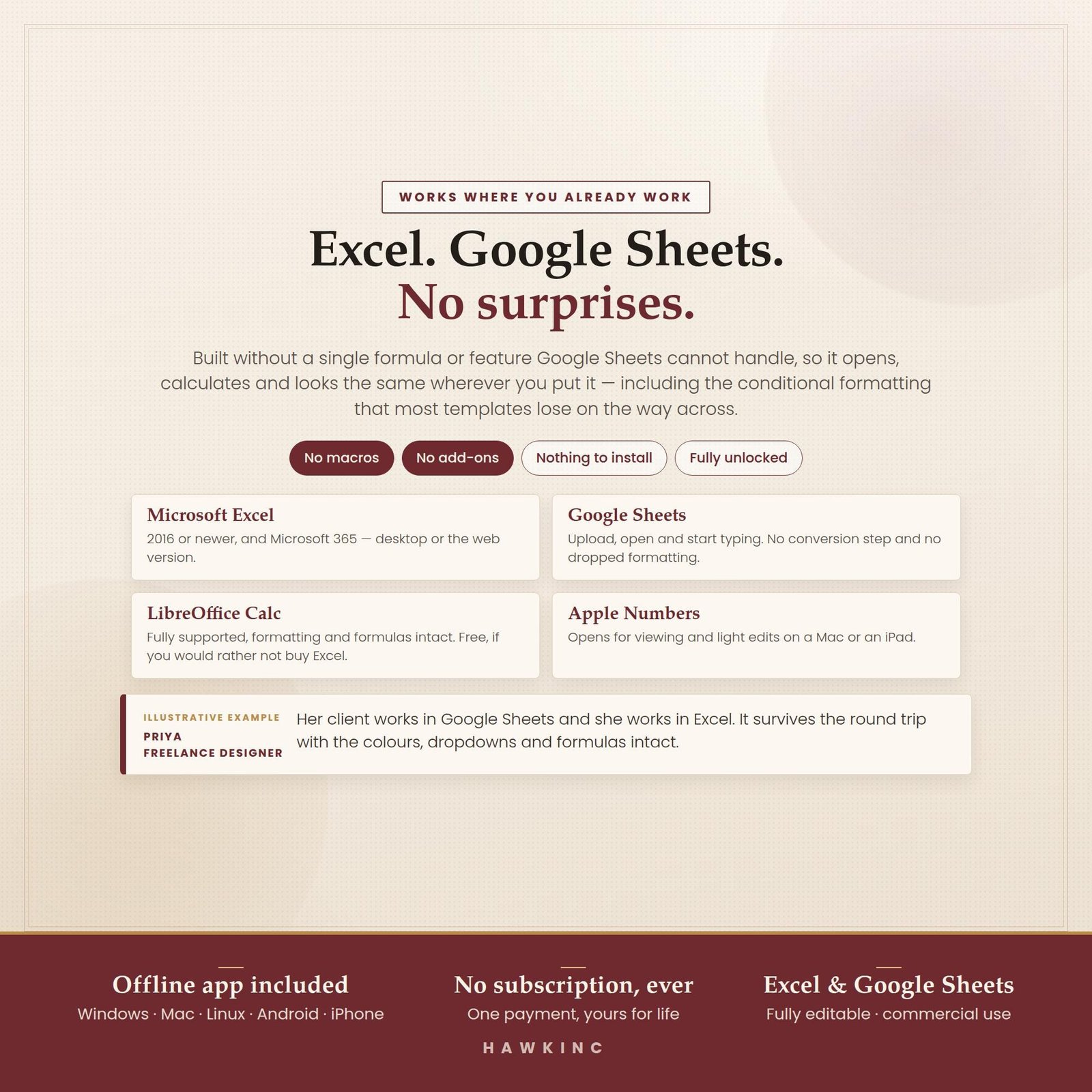
- Works in: Microsoft Excel, Google Sheets, LibreOffice Calc, Apple Numbers (no macros or add-ons)
What is inside
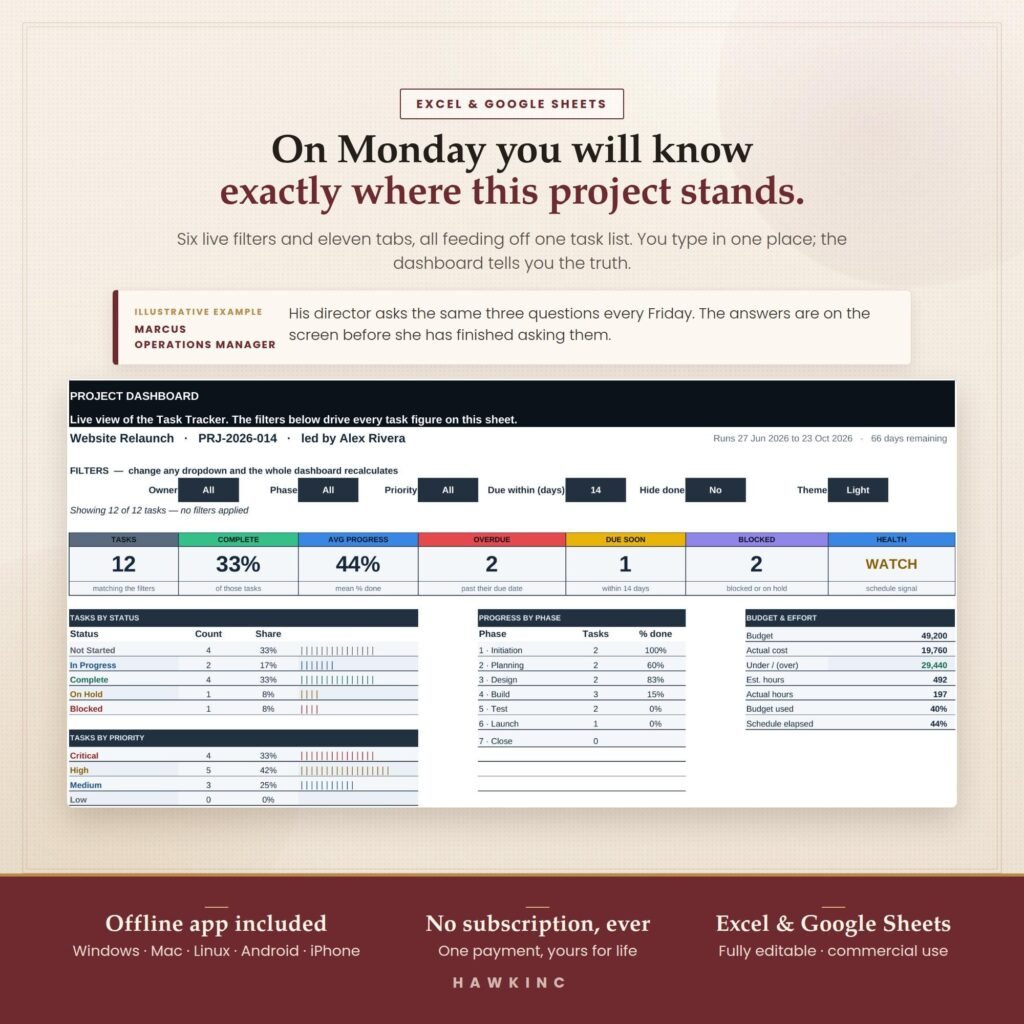
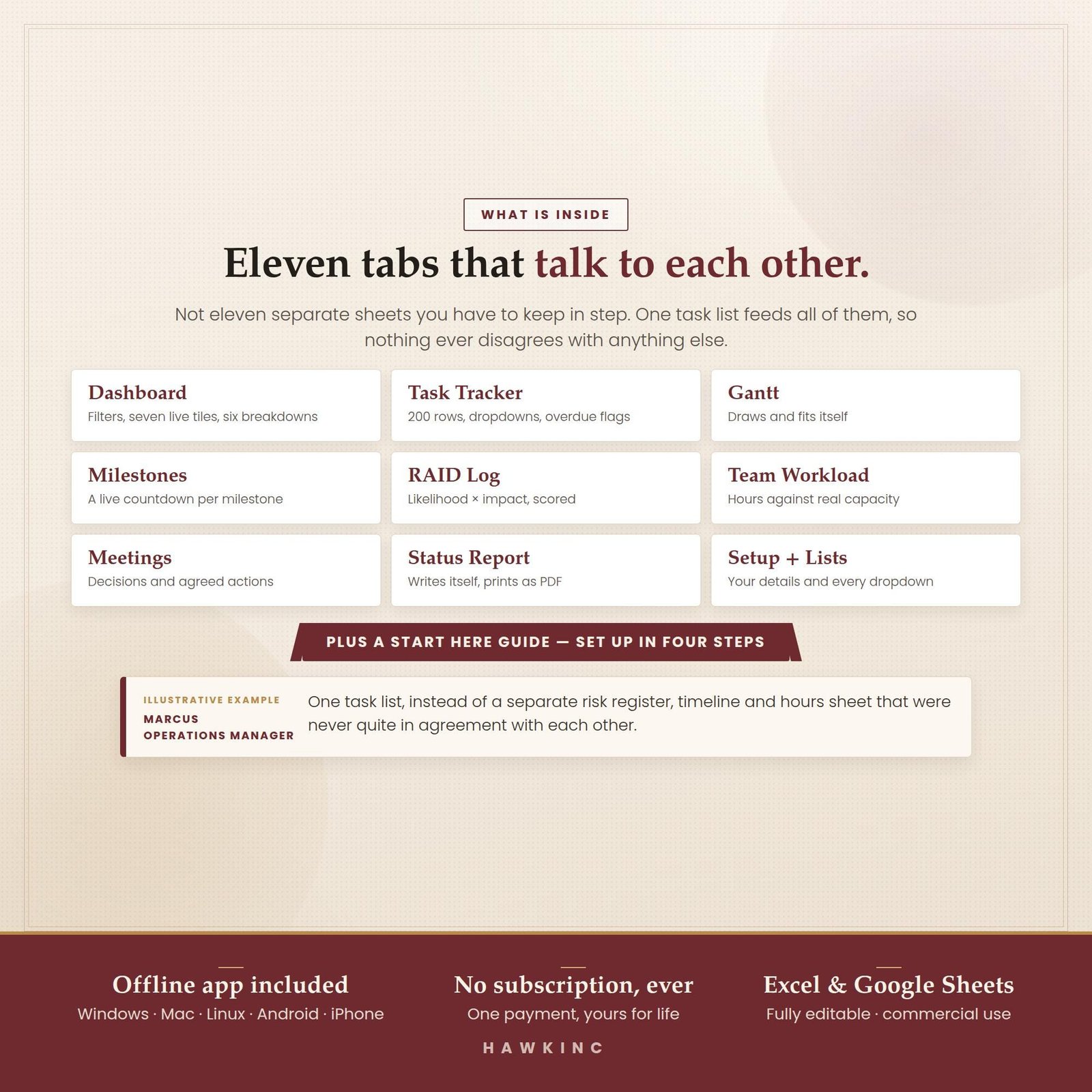
- 1 dashboard with task counts, percent complete, progress by phase, overdue items, budget and an overall health status
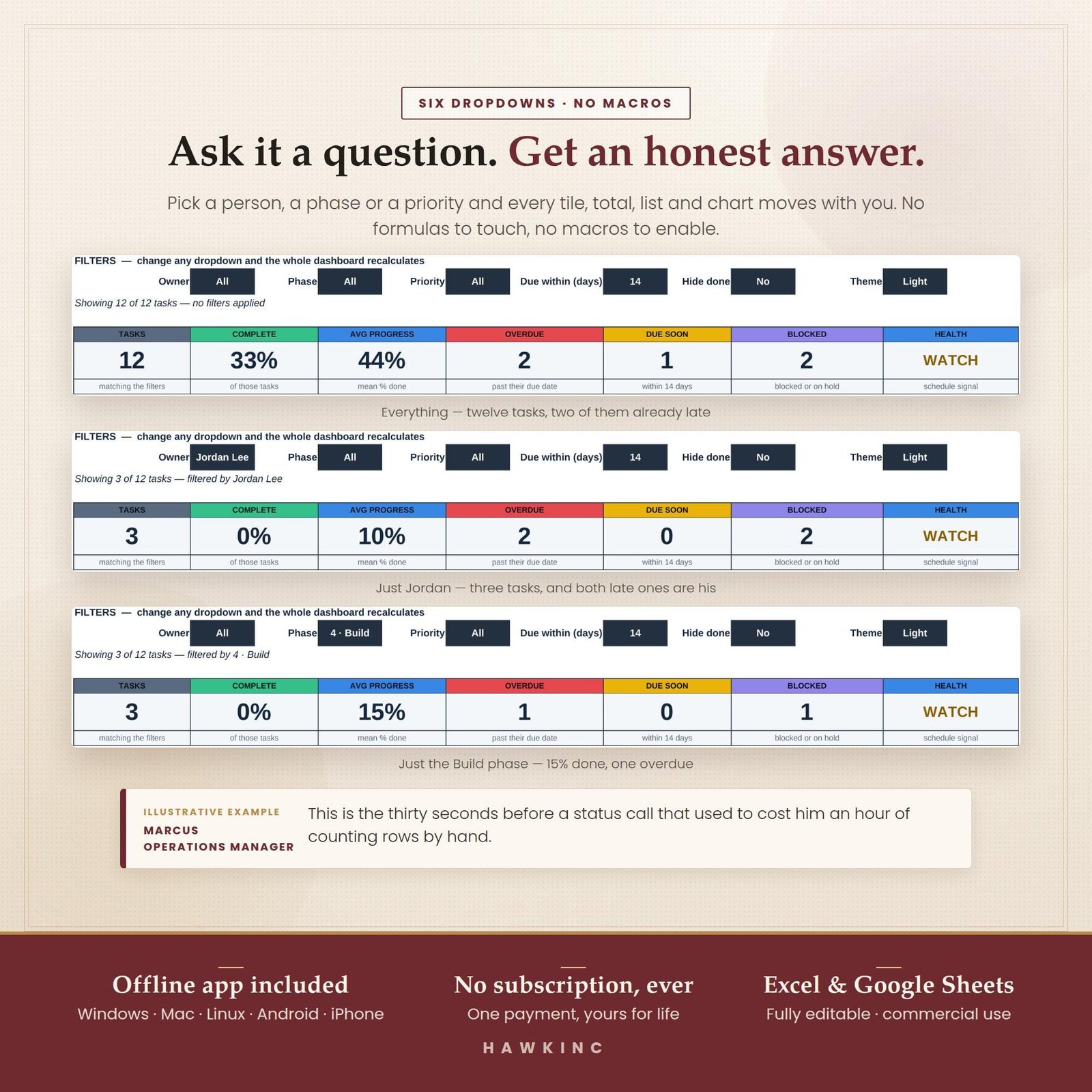
- 3 task views with filters for owner, phase, priority and due date
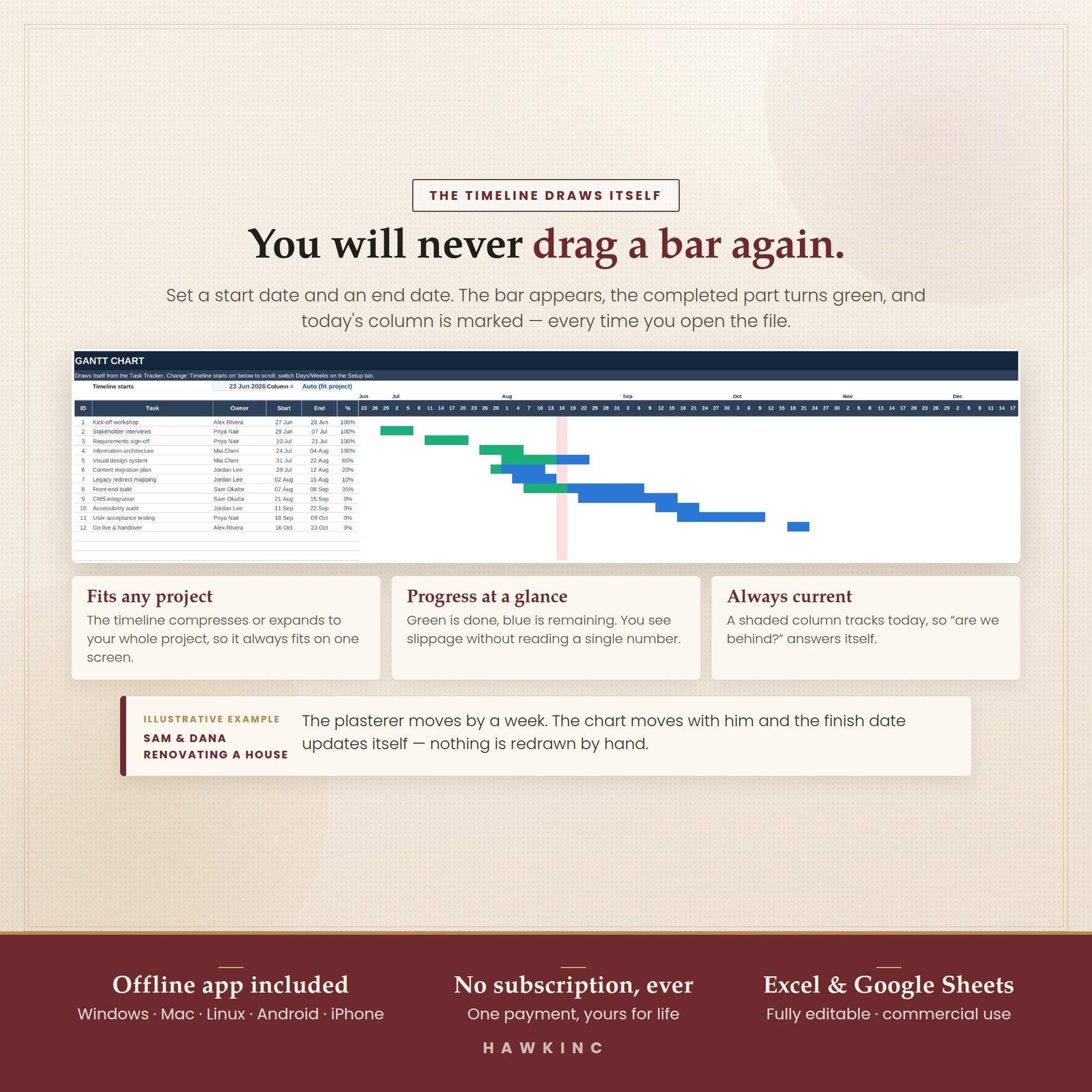
- 1 automatic Gantt chart that redraws itself from your start and end dates
- 1 milestone tracker for the dates that matter to clients or managers
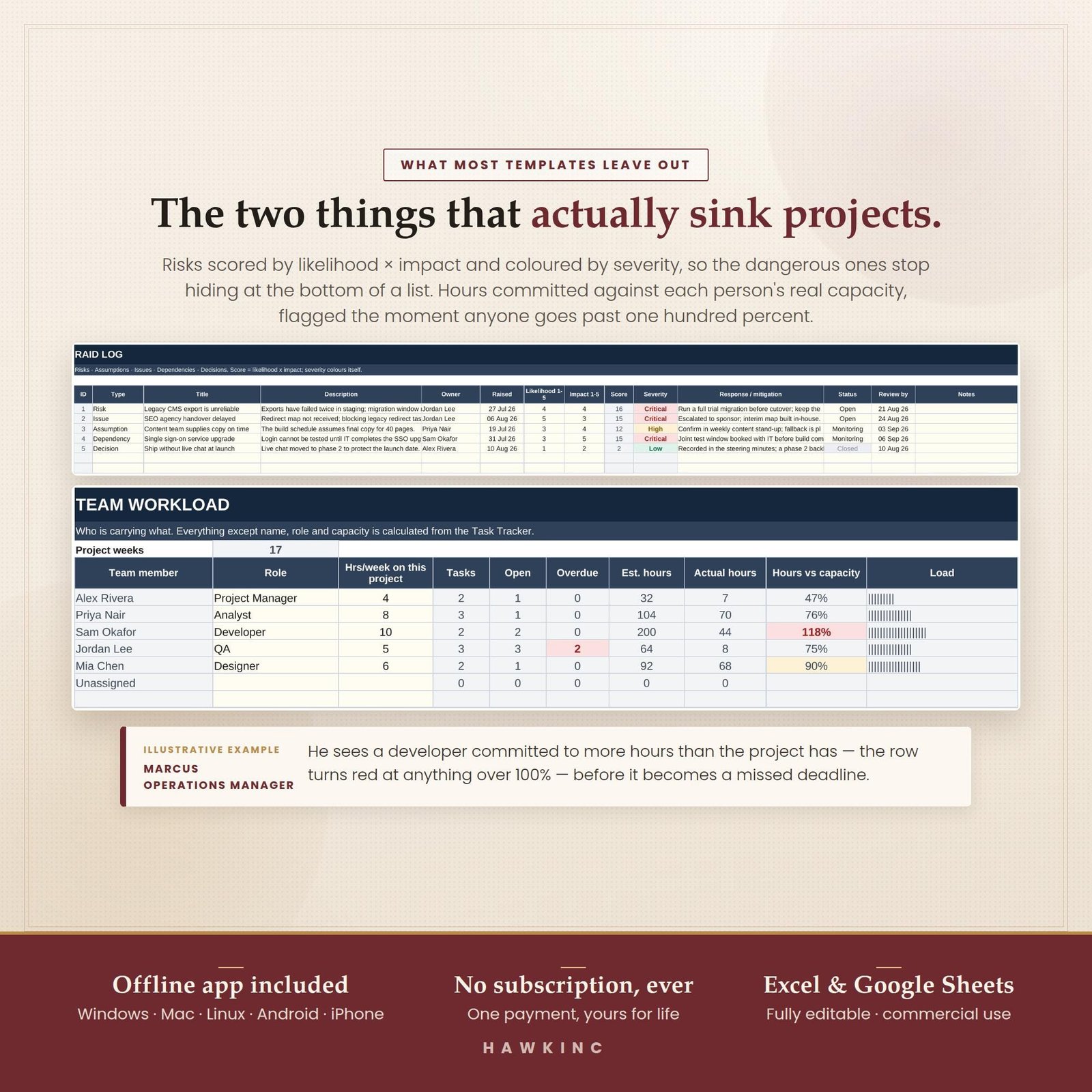
- 1 RAID log for risks, assumptions, issues and dependencies
- 1 team workload sheet that compares assigned hours with capacity
- 1 meetings log and 1 weekly status report that fills itself from the tracker and prints on one page
- 1 setup and lists tab where you name phases, owners and priorities once
- Light and dark theme option in the Google Sheets version
- 12 printable pages including a project charter, task list, timeline, tracker and logs
Who it is for
- Freelancers juggling client projects who want a clear weekly status to send
- Small teams of two to ten people who already live in Excel or Google Sheets
- Business owners who need deadlines, budget and risks on one screen without buying software
Who it is not for
- Large programmes that need resource levelling across dozens of projects
- Teams that need live chat, file storage or time tracking built in
- Anyone who wants a tool that sends automatic email reminders
How it works
- Buy the listing on Etsy and download the files from your Etsy purchases page.
- Open the workbook in Excel, or make a copy in Google Sheets.
- Fill the setup tab with your phases, owners and priorities, then type your tasks with start and end dates.
- Check the dashboard and Gantt chart, and print the weekly status report or the paper planner pages when you need them.
Gallery
Frequently asked questions
Does this project management dashboard work in both Excel and Google Sheets?
Yes. The same workbook opens in Microsoft Excel and in Google Sheets, and the listing also names LibreOffice Calc and Apple Numbers. It uses ordinary formulas only, with no macros, add-ons or scripts, so there is nothing to install or approve before your team can start entering tasks.
Do I need a subscription to use it?
No. It is a one-time digital download. You keep the spreadsheet files, the printable PDFs and the offline web-app version for as long as you like. There is no monthly fee, no user limit and no account to create, which suits freelancers and small teams who only need a few projects tracked.
How does the Gantt chart update?
The Gantt tab reads the start and end dates you type in the task tracker and draws the bars with conditional formatting. When a date moves, the bar moves with it, and progress shading follows your percent-complete column. You never drag or resize bars by hand, so the timeline stays in step with the task list.
Can I use it for more than one project?
Each copy of the workbook is set up for one project, so most people save a fresh copy per project and keep a short list of active projects elsewhere. Because the files are yours, you can duplicate them as often as you need without paying again or asking for an extra licence.
What is the printable planner pack?
It is a set of twelve undated printable pages plus a cover and a short guide, supplied in A4 and US Letter. Pages include a project charter, task list, timeline, tracker and logs, so you can plan a project on paper first or bring a printed status page to a meeting.
Is this a physical product?
No. It is an instant digital download from Etsy, so nothing is shipped. After you buy, Etsy gives you the files straight away. Because the download is immediate, sales are final, but the shop owner answers questions through Etsy messages if anything is unclear before or after you buy.