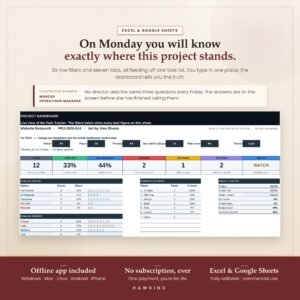
This free 30-day habit tracker for Excel keeps habit building simple: pick one small habit, mark an X each day you do it, and let the built-in streak counter do the motivating. It works in Microsoft Excel and Google Sheets, so you can use it on your laptop, tablet or phone.
What’s inside
- A clean 30-day grid for up to 8 habits
- An automatic streak counter per habit
- Works in Excel and Google Sheets
Why a 30-day habit tracker works
Thirty days is long enough to turn an action into a routine and short enough to feel achievable. Instead of committing to a habit “forever”, you commit to one month — then review, adjust and start the next cycle.
Tracking one small habit at a time beats tracking ten. The streak is the reward, and once you have a few days in a row you will want to protect it.
How to set up your habit tracker spreadsheet
- Open the file in Excel, or upload it to Google Drive and open it with Google Sheets.
- Type one habit per row — make each one small and specific, such as “10-minute walk” rather than “exercise more”.
- Each day, mark an X in the cell for every habit you completed.
- Watch the streak counter update automatically and try not to break the chain.
Tips to make your habits stick
- Start with one to three habits, even though the sheet holds eight.
- Attach each habit to something you already do, like after morning coffee.
- If you miss a day, never miss two in a row.
- At the end of 30 days, keep what worked and drop what didn’t.
Who this free habit tracker is for
Anyone who prefers a spreadsheet to a paper planner or app: students, busy professionals, people building a fitness or reading routine, or anyone who wants a quick visual record of their consistency without creating an account.
Common habit tracking mistakes to avoid
The most common mistake is starting with too many habits at once. Another is choosing habits that are too big — “read for an hour” is easy to skip, while “read two pages” almost never is. Finally, many people stop tracking after one missed day. A habit tracker is a tool for awareness, not a test you can fail: just mark the next day and keep going.
Download the free 30-day habit tracker Excel file
This free 30-day habit tracker Excel file is ready to use the moment you download it — there is nothing to set up and no formulas to write. If you don’t have Microsoft Excel, open it in Google Sheets for free and it will work the same way, including the streak counter.
Print a copy for your fridge or keep it open on your phone. Either way, a free 30-day habit tracker Excel sheet gives you a clear, honest picture of your consistency — and a reason to keep the streak going.
More free resources you may like
Frequently asked questions
Is the 30-day habit tracker really free?
Yes. It is a free download with no payment required.
Does it work in Google Sheets?
Yes. Upload the Excel file to Google Drive and open it with Google Sheets; the grid and streak counter work there too.
How many habits can I track?
The grid holds up to 8 habits, each with its own streak counter.